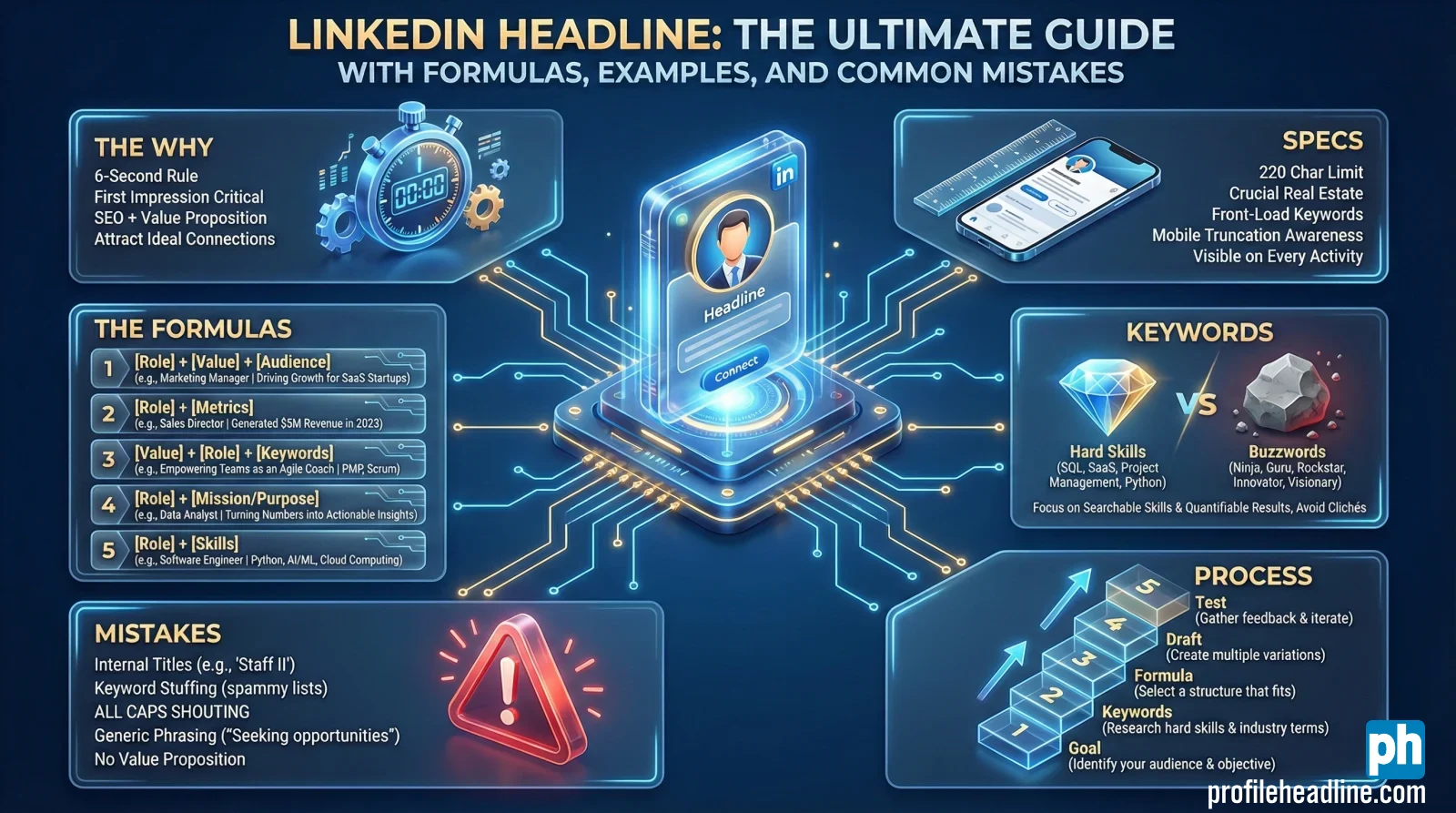
- Why it matters: Your headline is the first filter in search results and feeds, so a generic title makes recruiters scroll past.
- What it must do: Combine SEO keywords with a clear value proposition that answers “Why click you?” in a glance.
- How to format it: Front-load role + outcome + 1–2 keywords early for mobile, use clean separators, avoid buzzwords and messy keyword lists.
- What to write: Use simple formulas like Role | Value | Audience, or Role | Skills | Industry, or Role | Proof | Niche, then tailor to your reality.
- How to build it: Pick a goal, choose non-negotiable keywords, draft 3 versions, test for profile views and messages, and keep the rest of the profile consistent.
Most people leave their LinkedIn headline on autopilot. If you’re reading this, there’s a good chance your headline still says something like “Marketing Manager at Company X” or “Software Engineer at Y” – which is invisible noise to the vast majority of recruiters and potential clients.
Here’s the cold hard truth: your headline is the first thing people see in LinkedIn search results, connection requests, and the crucial “People Also Viewed” section. If you don’t make it count in those first 5–7 seconds, they scroll past – and your Profile Click-Through Rate (CTR) drops to zero.
In this ultimate guide, you’ll learn exactly how to write a LinkedIn headline that gets clicks, profile views, and messages from the right people – not random spam. We’ll cover the psychology behind effective headlines, easy formulas you can reuse, role-specific examples you can adapt, and the technical rules you must follow to stand out.
What Is a LinkedIn Headline (And Why It Matters to Recruiters)?
Your LinkedIn headline is the short text that appears directly under your name. By default, LinkedIn pulls in your current job title and company name – something like “Senior Product Manager at XYZ Corp”. But that default is designed for data consistency, not for marketing you as a candidate.
In practical terms, your headline is your personal billboard on LinkedIn. It’s what people see when you:
- Show up in recruiter search results
- Comment on someone’s post
- Send a connection request
- Appear in “People You May Know” and “People Also Viewed”
If your headline is generic, vague, or stuffed with buzzwords, you blend into the crowd. If it’s specific, outcome-focused, and aligned with the roles you want, you stand out instantly.
The Dual Function: SEO vs. Value Proposition
When a recruiter searches for keywords (e.g., “SaaS Marketing Manager”, “Python Data Scientist”, “B2B Account Executive”), LinkedIn’s algorithm evaluates your profile based on multiple factors. One of the most important is whether your headline – and the rest of your profile – contains the keywords they’re searching for.
So your headline has a dual function:
- SEO Function: Contain the right keywords to surface in relevant searches.
- Value Proposition Function: Convince a human being to click your profile when they see your name + headline in a list of 50 similar-looking people.
In other words, a great LinkedIn headline is not just “keyword rich” – it must also clearly answer the question: “Why should I click on you instead of the other 10 people on this screen?”
LinkedIn Headline vs. Job Title: Value Proposition vs. Job Title
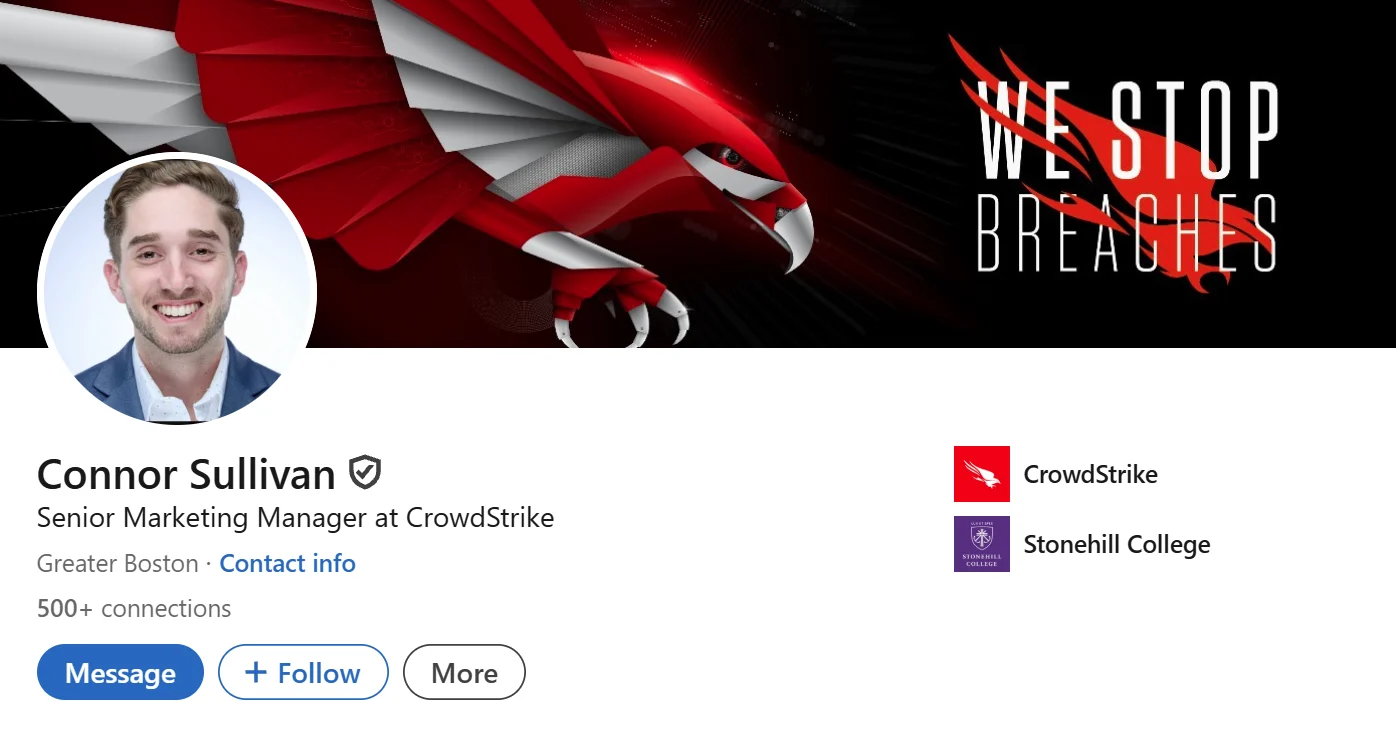
Here’s where most people get confused. Your job title tells people your position. Your headline should tell people your value.
Job Title:
"Senior Marketing Manager at ABC Corp"
Strong Headline:
“Senior Marketing Manager | Helping B2B SaaS Teams Turn Content into $1M+ Pipeline Through Content & SEO | B2B SaaS Specialist”
See the difference?
- The job title is static and inward-looking: “This is who I am in the org chart.”
- The headline is dynamic and outward-looking: “This is how I create value and who I do it for.”
Your headline should still be anchored to reality (your current role, skills, or target role), but it should not be limited to a single generic label. Your job title tells the past; a strong one signals the future value you bring.
The Critical “3-Second Rule” and Profile CTR
Your headline appears in the most critical decision-making moment: when someone decides whether to click your profile or keep scrolling.
Imagine a recruiter searching for “Senior Data Analyst” in New York. LinkedIn shows them hundreds of profiles. They are not reading every line of text; they’re scanning:
- Name
- Profile photo
- Headline
- Location
- Mutual connections (sometimes)
If your headline looks like every other “Senior Data Analyst at Company X”, they have no reason to click you. But if your headline clearly says:
“Senior Data Analyst | Turning Marketing Data into Clear Stories & Revenue Insights | SQL • Python • Tableau”
– you’re far more likely to get that click and profile view.
This is your profile CTR in action. A strong headline improves your click-through rate, which leads to more profile views, more messages, and more opportunities. Think of it as a micro-ad for your professional brand.
Technical Rules: Character Limit, Separators & Mobile SEO
What is the LinkedIn Headline Character Limit?
LinkedIn gives you a generous 220 characters on desktop. On mobile, the visible portion is shorter. The exact truncation can vary depending on device and UI changes, but as a practical rule:
- Desktop: Aim to optimize the first 120–140 characters.
- Mobile: Assume that anything beyond the first 60–80 characters might be cut off in search previews.
That doesn’t mean you should write a very short headline. It means you must front-load the most important information at the beginning:
- Your target role / identity
- Your value proposition / key outcomes
- 1–2 core keywords
Best practice: Put your role + main value proposition + most important keyword in the first 60 characters to ensure mobile visibility.
The Best Separator for Your Headline (Vertical Bar vs. Dash)
Formatting is crucial for readability. The characters you use to separate ideas can make your headline look clean and professional – or cluttered and messy. This is a subtle but vital detail for professional aesthetics.
- Recommended: `|` (Vertical Bar). Clean, minimal, and widely used by professionals. Use it to separate main ideas (Role | Value | Niche).
- Acceptable: ` – ` (Em Dash). Use sparingly, often for longer phrases or a narrative touch.
- Avoid: `•` (Bullet) overload. One or two bullets might be okay, but a chain of them can feel noisy.
- Avoid: Overusing “/” and “&”. They can make everything run together, reducing readability.
Best practice: Use 2–3 clearly separated segments. For example: “Product Manager | Turning Customer Feedback into Features Users Love | B2B SaaS”.
Keyword Placement: Front-Load Strategically
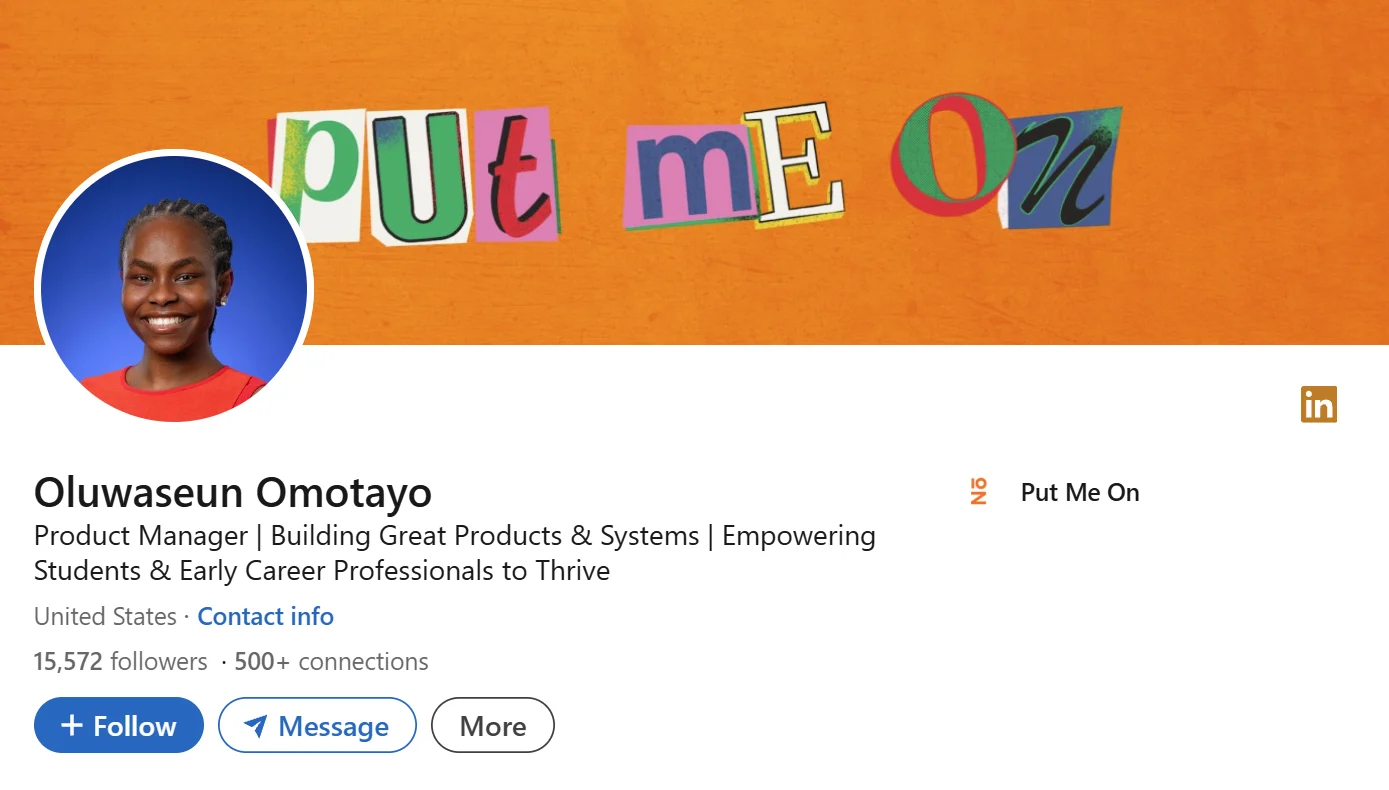
While LinkedIn’s algorithm scans your entire profile, including your About and Experience sections, your headline carries special weight in search results, similar to how a page title works in Google SEO.
That means:
- Include your target role by name: “Product Manager”, “Data Analyst”, “Senior UX Designer”.
- Include your industry or context: “B2B SaaS”, “Fintech”, “Healthcare”, “E-commerce”.
- Add 1–2 technical or domain keywords: “SQL”, “Python”, “HubSpot”, “Paid Social”, “PLG Growth”.
But you must balance keywords with human readability. A headline that is technically “keyword rich” but practically unreadable:
“Product Manager | Roadmaps | User Stories | Agile | JIRA | SQL | Cross-functional | GTM | B2B | SaaS | Data-driven”
Compare that with this version:
“Product Manager | Building B2B SaaS Features That Increase Adoption & Retention | Agile, User Research, SQL”
Both contain important keywords, but the second one reads like a clear value proposition.
Keywords vs. Buzzwords: Choose Skills That Actually Matter
LinkedIn is full of people calling themselves “gurus”, “ninjas”, “rockstars”, or “passionate leaders”. None of those terms help a recruiter match you to a role. Worse, they can make your profile look less credible.
Instead of buzzwords, use evidence-based skills and specific outcomes. Here’s a quick contrast:
| ✅ Strong Keywords (Use) | ❌ Buzzwords (Avoid) |
|---|---|
| SQL, Python, Tableau, Power BI | Ninja, Guru, Rockstar, Wizard |
| Lifecycle Email, Paid Social, Performance Marketing | Passionate, Hard-working, Strategic Thinker |
| Product Discovery, A/B Testing, Experimentation | Motivated to succeed, Go-getter |
| Churn Reduction, Conversion Optimization | Out-of-the-box, Synergistic |
| User Research, Figma, Prototyping | Change Agent (unless it’s your specific job title) |
Before & After: The Power of a Headline Makeover (5 Real Cases)
To see how theory turns into practice, let’s look at a few “before & after” headline transformations. These cases show how small tweaks can radically change how compelling you look in search results.
1️⃣ Case 1: Generic Marketing Manager → SaaS Pipeline Builder
Case 1: Generic Marketing Manager → SaaS Pipeline Builder
🔴 Before: “Marketing Manager at Tech Company”
💢 Problems:
- No industry specificity (which tech?)
- No indication of scope (team size, channels, budget)
- No value proposition (what outcomes?)
- No keywords that match common searches (e.g., “Demand Gen”, “Paid Social”)
✅ After: “Demand Gen Marketing Manager | Turning Paid & Organic into $500K+/Quarter Pipeline | B2B SaaS”
💡 Why it’s better: It clearly states the role (Demand Gen Marketing Manager), the outcome (pipeline), the channels (paid & organic), and the industry (B2B SaaS). A recruiter searching “Demand Gen SaaS” is much more likely to click this profile.
2️⃣ Case 2: Software Engineer → Backend Specialist with Impact
Case 2: Software Engineer → Backend Specialist with Impact
🔴 Before: “Software Engineer at ABC”
✅ After: “Backend Software Engineer | Designing Scalable APIs for Millions of Users | Java • Spring • AWS”
💡 Why it’s better: It tells us the focus (Backend), the scope (millions of users), the core tools (Java, Spring, AWS), and the impact (scalable APIs). This speaks directly to hiring managers building high-traffic systems.
3️⃣ Case 3: Product Manager → Outcome-Oriented PM
Case 3: Product Manager → Outcome-Oriented PM
🔴 Before: “Product Manager at Startup”
✅ After: “Product Manager | Turning Customer Insights into Features That Drive Activation & Retention | B2C Mobile Apps”
💡 Why it’s better: It gives a clear sense of what the PM actually does (customer insights → features), and connects it to real product outcomes (activation & retention).
4️⃣ Case 4: Career Switcher → Positioning for the New Field
Case 4: Career Switcher → Positioning for the New Field
🔴 Before: “Operations Manager | Looking to Transition into Product Management”
💢 Problems:
- Centered on the past role (Operations Manager).
- Sounds apologetic (“looking to transition”).
- Doesn’t highlight transferable skills or evidence.
✅ After: “Aspiring Product Manager | Turning Operational Insights into Customer-Centric Features | 5+ Years in Process Improvement”
💡 Why it’s better: It positions the person towards the target role (Product Manager) while leveraging their past experience (operations, process improvement) as an asset.
5️⃣ Case 5: Student → Emerging Professional
Case 5: Student → Emerging Professional
🔴 Before: “Computer Science Student at XYZ University”
✅ After: “Computer Science Student | Building Full-Stack Projects in React & Node | Looking for 2025 Internship”
💡 Why it’s better: It keeps the student identity, but adds proof of action (building projects), specific skills (React, Node), and a clear call-to-action (internship in 2025).
These are just a few examples. In the next section, we’ll break down formulas you can use to create your own “after” version.
Core LinkedIn Headline Formulas (You Can Use Right Away)
Instead of copying someone else’s headline word-for-word, use repeatable headline formulas. Here are 5 core templates you can adapt to nearly any profession or seniority level.
Formula 1: Role + Value Proposition + Target Audience
This formula is ideal for professionals who want to clearly state what they do, the outcome they create, and who they serve.
Template:
"[Role] | [What You Help People Achieve] | [Who You Do It For]"
Examples:
- “Content Marketing Manager | Turning Blog Posts into Qualified Pipeline | B2B SaaS”
- “UX Designer | Designing Interfaces That Reduce User Friction | Fintech & Banking Apps”
- “Career Coach | Helping Mid-Career Professionals Navigate Job Changes with Confidence”
Formula 2: Role + Core Skills + Industry
Great if you’re in a more technical or specialist role, where your tools and stack matter a lot.
Template:
"[Role] | [Top 3–4 Skills/Tools] | [Industry/Context]"
Examples:
- “Data Analyst | SQL • Python • Tableau | Turning Marketing Data into Clear Stories”
- “Frontend Developer | React • TypeScript • Next.js | Building Fast, Accessible Web Apps”
- “DevOps Engineer | AWS • Docker • Kubernetes | Improving Deployment Speed & Reliability”
Formula 3: Role + Proof/Outcome + Niche
This formula leans on proof – metrics and achievements that show you’re not just promising value, you’ve delivered it.
Template:
"[Role] | [Quantified Outcome / Proof] | [Niche/Industry]"
Examples:
- “Sales Manager | Consistently Exceeding Quota by 120%+ | B2B SaaS”
- “Email Marketer | Growing Newsletter From 5K to 50K Subscribers in 18 Months | Creator Economy”
- “Operations Lead | Cutting Fulfillment Times by 30% | Direct-to-Consumer Brands”
Formula 4: Aspiring/Transitioning Role + Transferable Skills + Context
Ideal if you’re switching careers or moving into a new role but don’t yet have the official title.
Template:
"Aspiring [Target Role] | [Transferable Skills/Experience] | [Relevant Context]"
Examples:
- “Aspiring Product Manager | 5+ Years in Customer Support & Process Improvement | SaaS”
- “Aspiring Data Analyst | Excel & SQL Self-Taught | Marketing & Operations Background”
- “Aspiring UX Designer | Portfolio of 5+ Case Studies | Transitioning from Graphic Design”
Formula 5: Role + “I Help…” Statement + Outcome
This is especially popular for freelancers, consultants, coaches, and solopreneurs who work directly with clients.
Template:
"[Role] | I Help [Type of Client] [Achieve X Outcome] Through [Method]"
Examples:
- “LinkedIn Coach | I Help Mid-Career Professionals Land Interviews at Top Tech Companies Through Profile Optimization & Messaging”
- “Freelance Copywriter | I Help SaaS Startups Turn Traffic into Trials Through Landing Pages & Email Sequences”
- “Career Strategist | I Help Managers Pivot Into Roles They Actually Want Without Burning Out”
Pick the formula that aligns with your situation, then adapt it using the examples in the next section.
50+ Best LinkedIn Headline Examples (Categorized & Ready to Adapt)
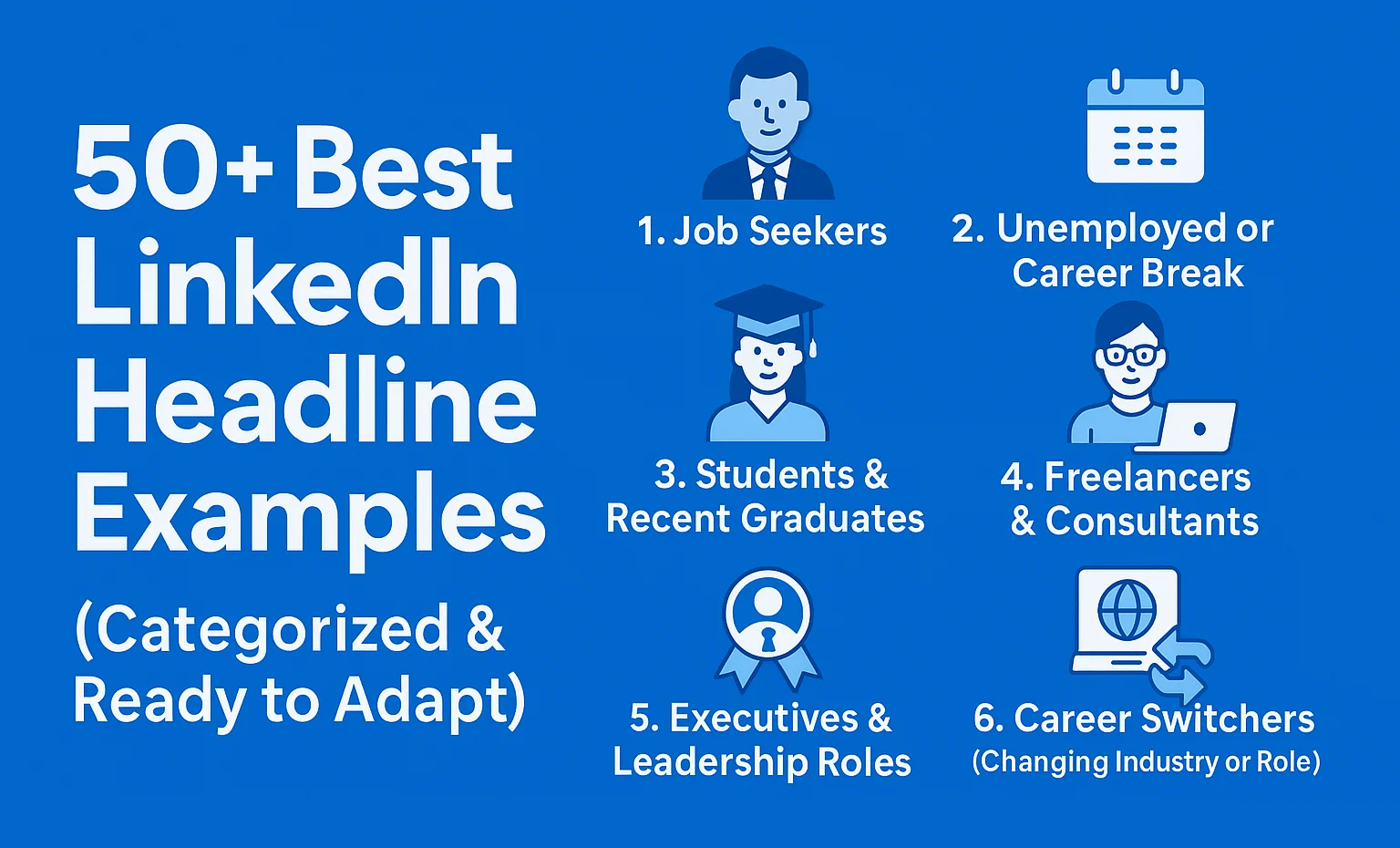
Remember: Don’t just copy. Choose the formula that fits you, then swap out the skills and industries so the headline matches your reality.
1. Job Seekers (Actively Looking, But Still Employed)
- “Senior Product Manager | Building Features That Drive Retention & Expansion | Open to PM Roles in B2B SaaS”
- “Marketing Manager | Helping Brands Turn Content into Revenue | Open to Remote Demand Gen Roles”
- “Data Analyst | Turning Raw Data into Clear, Actionable Insights | Open to Hybrid Roles in EU”
2. Unemployed or Career Break (Without Sounding Desperate)
- “Project Manager | Delivering Complex Projects On Time & Under Budget | Ready for New Opportunities”
- “Senior Recruiter | Matching Top Talent With High-Growth Teams | Open to Contract & Full-Time Roles”
- “Customer Success Manager | Reducing Churn & Increasing Expansion Revenue | Open to CS Leadership Roles”
3. Students & Recent Graduates
- “Computer Science Student | Building Full-Stack Apps in React & Node | Seeking 2025 Internship”
- “Business Graduate | Marketing & Analytics Projects | Open to Entry-Level Marketing Roles”
- “Mechanical Engineering Student | CAD & Simulation Projects | Open to Internship in Automotive or Aerospace”
Want more? Check out our dedicated guide to LinkedIn headlines for students & interns with 30+ tailored examples. [Link to C-XX]
4. Freelancers & Consultants
- “Freelance Web Developer | I Build High-Converting Landing Pages for Online Businesses | Webflow & Shopify”
- “Marketing Consultant | Helping B2B Teams Turn Traffic into Pipeline With SEO & Content Strategy”
- “Career Coach | Helping Professionals Pivot Without a Pay Cut | 1:1 Coaching & Resume Overhauls”
5. Executives & Leadership Roles
- “VP of Marketing | Building Teams That Turn Brand Awareness into Revenue | B2B SaaS & PLG Growth”
- “Chief Product Officer | Aligning Product Strategy With Customer Outcomes | Early-Stage to Series C”
- “CFO | Helping Companies Grow Sustainably Through Data-Driven Financial Strategy | SaaS & Marketplace Models”
6. Career Switchers (Changing Industry or Role)
- “Aspiring Data Analyst | 7+ Years in Finance & Excel | Transitioning to Analytics Roles in 2025”
- “Ex-Teacher → Learning Designer | Turning Complex Ideas into Simple Learning Experiences | EdTech”
- “Operations Manager → Product Manager | Using Process Improvement Experience to Build Better Products | SaaS”
7. Remote & Global Roles
- “Senior Backend Engineer | Building Scalable APIs | Open to Remote Roles Globally”
- “Customer Support Lead | Leading Remote Teams Across Time Zones | SaaS & E-commerce”
- “Growth Marketer | Driving Signups for Global SaaS Products | Open to Remote or Hybrid Roles”
8. Creative & Minimalist Headline Styles
Creative / Bold:
- “Turning Customer Problems into Products They Can’t Live Without | Product Manager”
- “I Help SaaS Teams Turn ‘We Should Do Content’ into Pipeline | Content Strategist”
- “Designing Interfaces Your Users Actually Enjoy | UX Designer”
Minimalist / Clean:
- “Senior Backend Engineer | Java, Spring, AWS”
- “Data Analyst | SQL, Python, Tableau”
- “Product Designer | UX/UI for Mobile Apps”
How to Write Your LinkedIn Headline (Step-by-Step System)
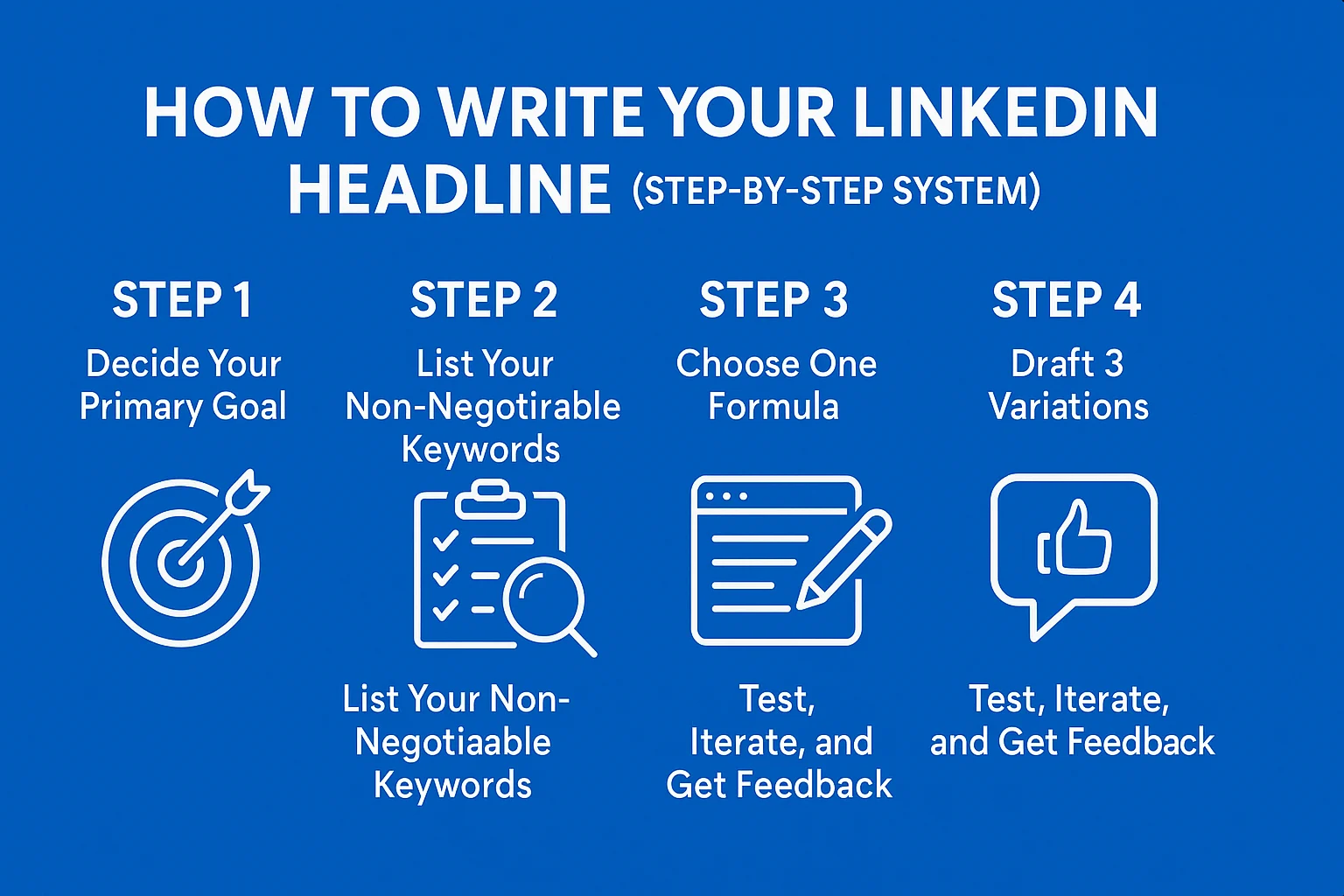
Now that you’ve seen formulas and examples, here’s a simple process to write (or rewrite) your own headline.
Step 1: Decide Your Primary Goal
Ask yourself: “What do I want my headline to do for me in the next 3–6 months?”
- Get interviews for a specific role (e.g., Product Manager, Data Analyst)
- Attract clients for your services (e.g., Freelance Designer, Career Coach)
- Build your personal brand as a thought leader or expert
- Signal a clear career transition (e.g., from Sales to Product)
Your goal should guide your language, tone, and level of specificity.
Step 2: List Your Non-Negotiable Keywords
Write down the 5–10 keywords that appear most often in the job descriptions or client briefs that interest you. Common examples:
- Product Manager, Roadmap, Experimentation, A/B Testing
- Data Analyst, SQL, Python, Dashboard, Reporting
- Content Marketer, SEO, Demand Generation, Conversion
- UX Designer, Prototyping, User Research, Figma
From that list, choose the top 3–4 you absolutely want in your headline.
Step 3: Choose One Formula
Pick one of the formulas from earlier:
- Role + Value Proposition + Audience
- Role + Skills + Industry
- Role + Proof + Niche
- Aspiring Role + Transferable Skills
- Role + “I Help…” + Outcome
Don’t overthink this. You can always iterate later. Choose the one that feels most natural for your current goal.
Step 4: Draft 3 Variations
Write three different versions of your headline using the same formula but with slightly different wording, emphasis, or ordering.
Example for a Data Analyst:
- “Data Analyst | Turning Marketing Data into Clear, Actionable Insights | SQL • Python • Tableau”
- “Marketing Data Analyst | SQL, Python & Tableau | Helping Teams Understand What’s Really Working”
- “Data Analyst | Explaining Complex Data in Simple English for Marketing Teams | SQL • Python • Tableau”
Compare them and ask:
- Which one sounds like me?
- Which one is clearest to a stranger?
- Which one highlights the outcome I deliver?
Step 5: Test, Iterate, and Get Feedback
Once you pick a headline, use it for a few weeks. Monitor:
- Profile views
- Search appearances
- Recruiter messages and opportunities
Ask 2–3 trusted colleagues, mentors, or friends:
“If you saw this headline in a search result, what would you think I do and who I help?”
If their answers match your intent, you’re on track. If not, adjust your wording.
Optional: Use AI to Brainstorm (Without Losing Your Voice)
You can use tools like ChatGPT to brainstorm variations. For example, you could paste this prompt:
“I’m a [role] with [X years] of experience in [industry]. My core skills are [skill 1, skill 2, skill 3], and I’ve achieved [outcome 1, outcome 2]. I’m targeting roles like [target roles] in [location/remote]. Give me 10 LinkedIn headline options that are specific, outcome-oriented, and in a professional tone. Avoid buzzwords like ‘ninja’ or ‘rockstar’.”
Then refine the results you like most. Remember: AI should help you explore options, not replace your judgment.
Explore LinkedIn Headline Examples (Categorized by Industry, Level & Style)
If you want more tailored help, we’ve organized our library of examples into three main collections. Choose the category below that best fits your current needs.
🚫 Common Mistakes to Avoid (The Rookie Traps)
Even with good intentions, it’s easy to fall into these common traps. Avoiding them will immediately put you ahead of 90% of your competition:
- Only listing your job title and company: “Software Engineer at X”. This wastes the most valuable real estate on your profile.
- Using vague buzzwords: “Passionate, hard-working, motivated professional”. These don’t differentiate you.
- Keyword stuffing without coherence: “Product Manager | Roadmaps | MVP | Agile | Growth | PLG | SaaS | B2B”. This feels like a list, not a statement.
- Being overly clever or cryptic: “I turn coffee into code”. Fun, but recruiters can’t match this to a role.
- Leading with “Open to Work” only: “Open to new opportunities”. Always pair this with your role and value.
- Ignoring your target roles: Using your current internal title instead of the role titles you see in job postings.
- Writing in all caps: “SENIOR PRODUCT MANAGER | BUILDING GREAT PRODUCTS”. This feels shouty and less professional.
- Using too many emojis: One or two, in the right context, may be acceptable; a chain of them diminishes professionalism.
- Copy-pasting someone else’s headline: Recruiters who see many profiles will notice patterns; being a clone hurts you.
- Never updating your headline: Your goals change; your headline should evolve with them.
Best practice: Every 3–6 months, review your headline against your current goals and the roles you’re targeting. Update it intentionally – not just when you happen to think of it.
❓ Frequently Asked Questions (FAQ)
🟢 Should I put “Open to Work” in my headline?
It depends. Use the green frame option first. If you want to use text, follow Formula 5: lead with your value (e.g., “Product Manager | Building Features That Drive Retention”) and then optionally add “Open to PM Roles in B2B SaaS”. Avoid headlines that say only “Open to Work”.
😊 Can I use emojis in my headline?
Yes, but carefully. Emojis can make your profile stand out, especially in creative fields. However, in more conservative industries (finance, law, corporate roles), too many emojis can look unprofessional. If you use emojis, keep them minimal and aligned with your brand.
⏰ How often should I change my LinkedIn headline?
As often as your goals change. If you’re in an active job search, you might iterate every few weeks based on response. If you’re mainly building a personal brand, revisiting your headline every 3–6 months is a good rhythm.
📄 Should my LinkedIn headline match my resume headline or summary?
They should be consistent in message (role, skills, outcomes) but not necessarily word-for-word identical. Think of your LinkedIn headline as the “hook” and your resume headline/summary as the expanded version. The story should align.
🌱 Is it okay to say “Aspiring [Role]”?
Yes, especially if you’re transitioning careers or just starting out. The key is to pair “Aspiring” with clear evidence of action: courses, projects, case studies, or relevant experience. For example: “Aspiring UX Designer | 5+ Case Studies | Transitioning from Graphic Design”.
✨ Next Steps: Upgrade Your Entire Profile
Your headline is the hook that gets people to click on your profile – but it’s only one part of the story. Once someone lands on your profile, they’ll also scan your photo, About section, Experience, and skills.
If your headline promises one thing but your profile tells a different story, you’ll lose trust quickly. The most effective LinkedIn profiles are those where:
- The headline clearly states your role and value.
- The About section expands that story with context and proof.
- The Experience section backs it up with concrete achievements.
- Your skills and endorsements align with your target roles.
Now that you’ve crafted a strong headline, make time to review the rest of your LinkedIn profile. The combination of a clear headline, focused About section, and achievement-driven Experience is what turns profile views into real opportunities.
Looking for professional resume templates that match your new LinkedIn headline?
Visit our partner site, freeresumehub.com, for modern, ATS-friendly resume templates that align perfectly with your new LinkedIn profile.