- Core point: Use LinkedIn’s native pronoun feature, not manual pronouns inside the 220-character headline.
- Why it matters: Native pronouns preserve headline SEO space, improve accessibility, and let you control visibility.
- Strategic trade-off: Pronouns can signal inclusivity and reduce misgendering, but may trigger bias in conservative sectors.
- Industry norms: Tech, creative, and NGO are early adopters; healthcare and corporate are mixed; finance, law, and heavy industry are slower.
- Best practice: Keep the headline focused on role plus keywords plus value, and treat pronouns as identity clarity, not branding copy.
The Strategic Implications of Pronouns on Your LinkedIn Profile
In the evolving landscape of digital professional identity, the question of how to add pronouns to LinkedIn headline structures has shifted from a mere technical query to a complex personal branding decision. Since LinkedIn introduced its dedicated pronoun feature in 2021, the platform has moved beyond the binary, offering professionals a standardized way to express identity without compromising the valuable real estate of their headlines.
However, confusion persists. Many users still conflate the Introduction Card (where the name and pronouns live) with the Professional Headline (the 220-character hook under the name). This distinction is critical. Your headline is your pitch – it’s prime SEO territory designed to convert profile views into opportunities. Your pronouns, conversely, are a function of identity and communication clarity.
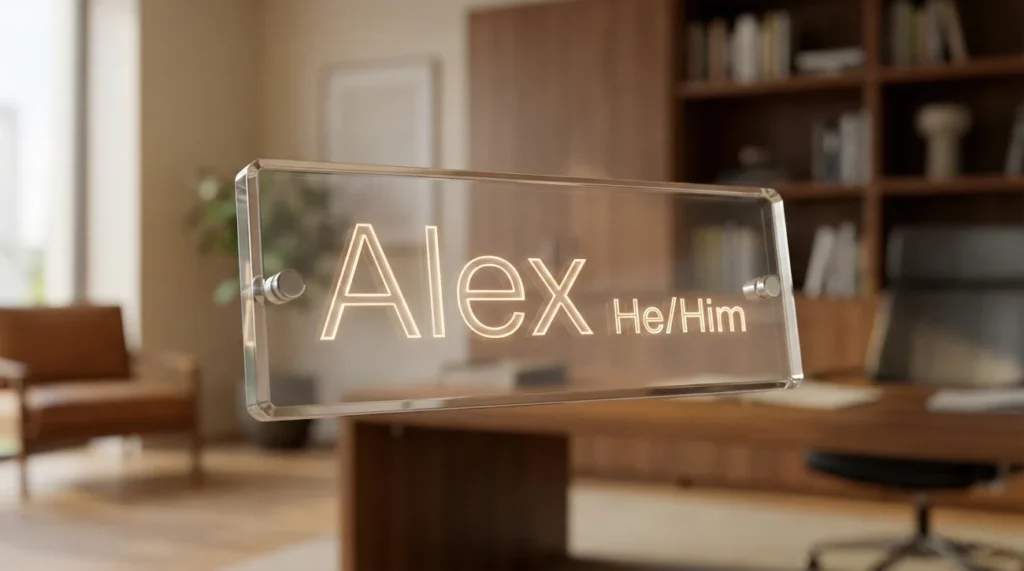
As a content strategist analyzing thousands of profiles, I often see professionals struggle with this balance. Should you display pronouns to signal inclusivity? Will it alienate conservative recruiters in traditional sectors like finance or law? Or is it simply a practical tool to prevent misgendering for names like “Alex” or “Jordan”?
This comprehensive guide goes beyond the basic “how-to.” We will dissect the strategic pros and cons, analyze industry-specific norms, and provide a technical roadmap to optimizing this feature effectively. Whether you are a C-level executive in Fintech or a Creative Director in Advertising, your approach to pronoun display should be intentional, not accidental.
The Mechanics: How to Add Pronouns to LinkedIn Properly
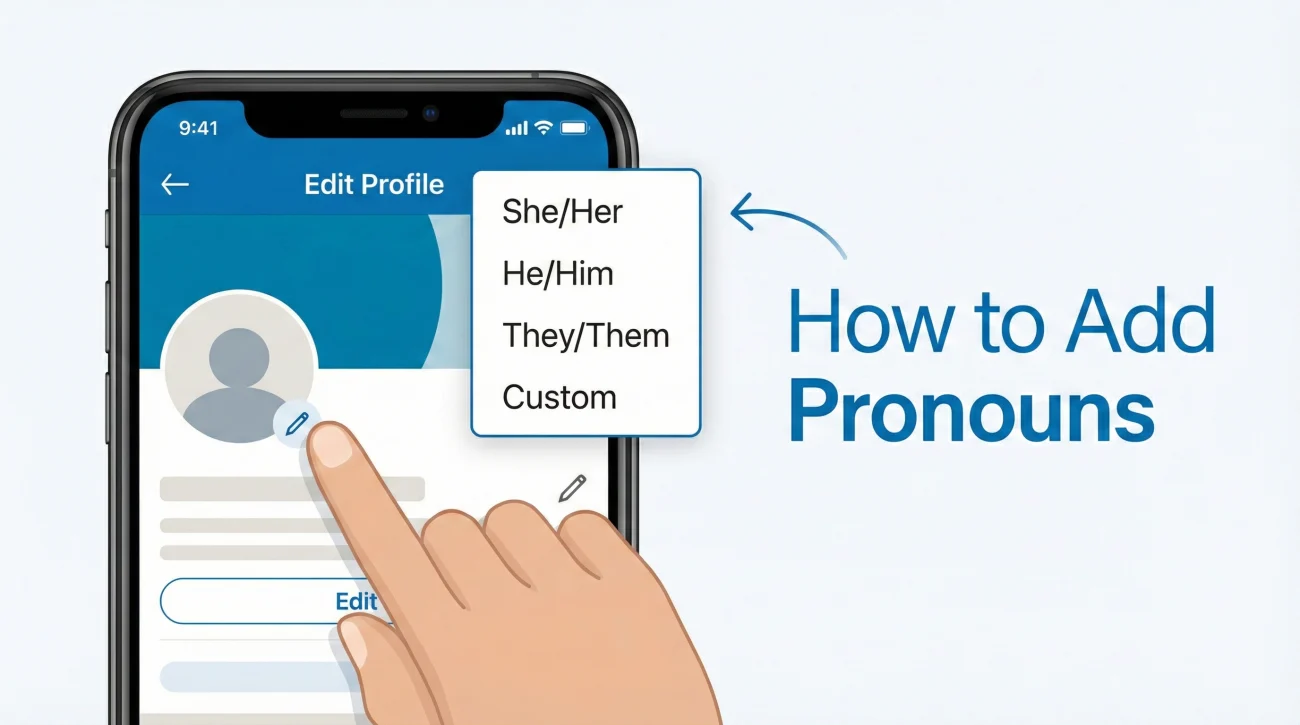
Before we dive into the “should you,” let’s address the “how you.” LinkedIn’s native feature is superior to manual insertion for several reasons: it creates data uniformity, it ensures accessibility for screen readers, and most importantly, it saves your headline characters for keywords.
Step-by-Step Execution (Desktop)
The process is hidden within the primary edit interface of your profile. It is not located in the “Settings & Privacy” menu, which is a common misconception.
- 1. Navigate to the Introduction Card: Go to your profile page and locate the “Pencil” (Edit) icon in the top section, directly below your banner image.
- 2. Locate the Pronouns Field: Scroll past your Name and Headline fields. You will see a dropdown menu labeled “Pronouns.”
- 3. Selection Strategy:
- Standard Options: Select from She/Her, He/Him, or They/Them.
- Custom Options: If you use neopronouns (e.g., Ze/Zir) or a combination not listed, use the “Custom” option to type them manually.
- 4. Configure Visibility: This is a crucial strategic toggle.
- “All LinkedIn Members”: Select this for maximum visibility and inclusivity signaling.
- “Your Network”: Use this if you want to test the waters or if you are in a highly conservative industry where you prefer only 1st-degree connections to see this detail.
- 5. Save and Audit: Click save and view your profile in “Public” mode to ensure it renders correctly near your name.
Mobile App Implementation
The mobile experience mirrors the desktop functionality but requires navigation through the profile picture interface. Tap your photo in the top left > “View Profile” > Edit Icon (Pencil). The fields remain identical.
📌 Strategist Note: If you do not see the Pronouns field, it is likely that the feature has not yet rolled out to your specific geographic region or your app requires an update. LinkedIn rolls out these features in phases globally.
Should I Put Pronouns in My LinkedIn Headline? (The Real Estate Debate)
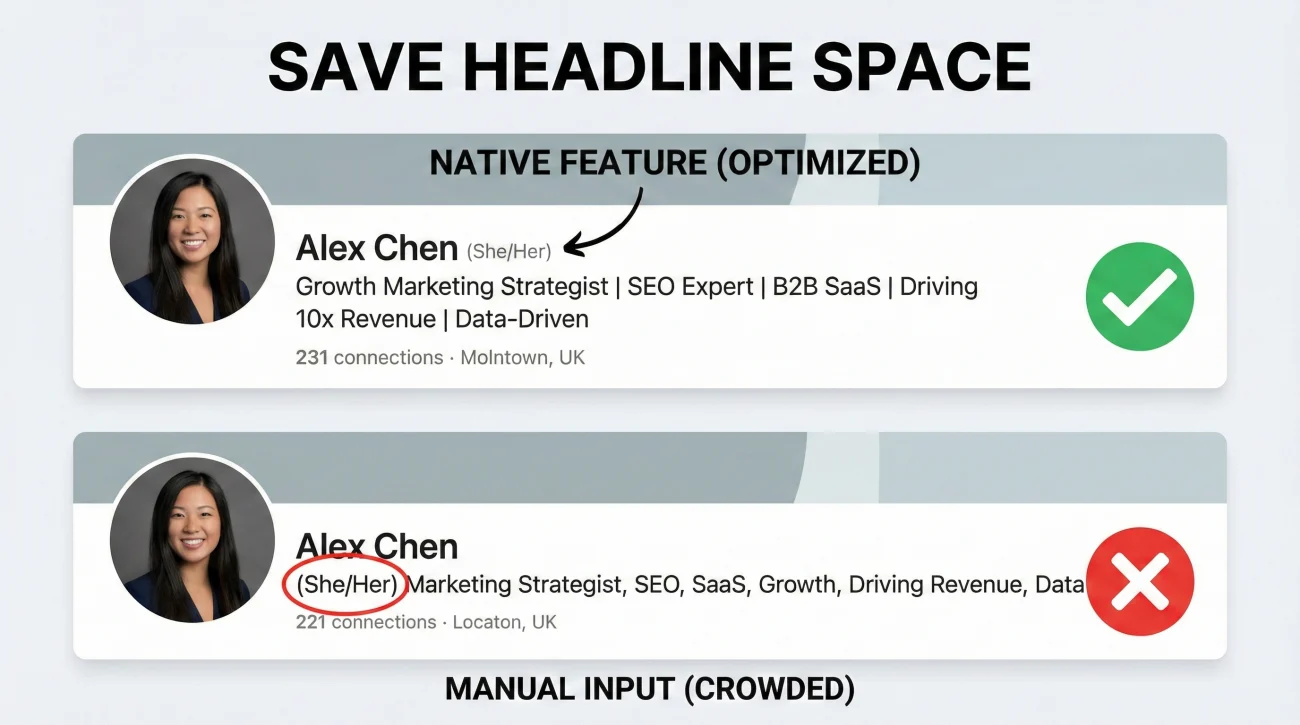
A common query we receive is: “Should I put pronouns in my LinkedIn headline manually, or use the feature?” From an SEO and conversion optimization perspective, the answer is unequivocally: Use the native feature. Do not put them in the headline text.
Your LinkedIn Headline is restricted to 220 characters. Every character counts. It is the only field that follows you everywhere on the platform – when you comment, when you apply for jobs, and in search results. Wasting 10-15 characters on “(she/her)” or “| he/him” is a poor ROI (Return on Investment) on that space.
Comparison: Native Feature vs. Manual Insertion
To visualize why the native feature is the superior choice for professional branding, consider the following breakdown of technical and strategic impact.
| Feature / Metric | Native Pronoun Feature | Manual Headline Insertion |
|---|---|---|
| Character Economy | ⭐⭐⭐⭐⭐ (Zero impact on headline limit) | ⭐⭐ (Consumes 8-15 valuable characters) |
| SEO Impact | ⭐⭐⭐⭐⭐ (Fields are structured data) | ⭐⭐ (Dilutes keyword density in headline) |
| Visual Hierarchy | ⭐⭐⭐⭐⭐ (Subtle, professional grey text) | ⭐⭐⭐ (Clutters the main value proposition) |
| Visibility Control | ⭐⭐⭐⭐⭐ (Can toggle Public/Network only) | ⭐ (Always public, cannot hide) |
| Screen Reader UX | ⭐⭐⭐⭐⭐ (Announced correctly as pronouns) | ⭐⭐ (Read as part of job title, confusing flow) |
By manually typing pronouns into your headline, you force the reader’s eye to process administrative data before they process your value. For example, “Jane Doe | (She/Her) | Marketing Manager” is weaker than “Jane Doe (she/her)” followed by “Marketing Manager driving 200% ROI for B2B SaaS.”
The Strategic Trade-offs: Analyzing Pronouns in Professional Headline Contexts
While the technical implementation is straightforward, the decision to display pronouns in professional headline areas (via the native feature) is nuanced. It is a signal. Like any signal in communication, it can attract the right audience or filter out specific groups. In recruitment and networking, “filtering out” is not always negative – sometimes, it is a necessary qualification step.
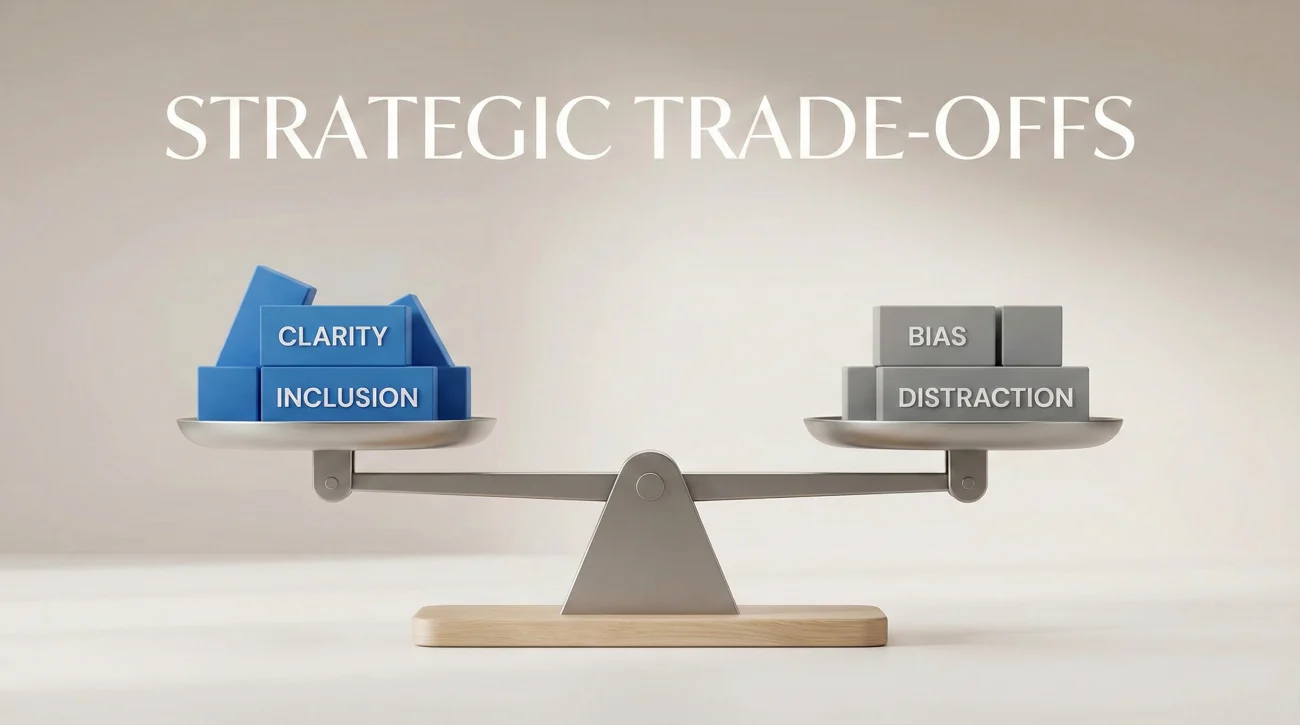
Here is an objective look at the advantages and disadvantages of enabling this feature on your profile.
| Pros (Why you should display) | Cons (Potential risks to consider) |
|---|---|
| ✅ Clarity for Ambiguous Names: Essential for names like “Sam,” “Alex,” or non-localized names (e.g., Asian names in Western markets), preventing awkward misgendering in initial outreach. | ❌ Bias in Conservative Sectors: In highly traditional industries (Old Law, Heavy Industry, some Finance), unconscious bias against “modern” DEI practices still exists among older gatekeepers. |
| ✅ Signals Cultural Fit: Instantly signals to recruiters in Tech, Media, and Startups that you are culturally aligned with modern, inclusive workplace values. | ❌ Political Polarization: Unfortunately, pronoun usage has been politicized in some regions. Displaying them may be misinterpreted as a political statement rather than a professional utility. |
| ✅ Allyship & Normalization: For cisgender professionals, displaying pronouns normalizes the practice, reducing the “othering” burden on trans and non-binary colleagues. | ❌ Distraction Factor: For profiles that need to be hyper-focused on hard skills (e.g., crisis management consultants), any non-essential data point might be viewed as superfluous noise. |
| ✅ Recruiter Confidence: Removes hesitation. Recruiters are more likely to message a candidate when they are 100% sure of how to address them respectfully. | ❌ Privacy Concerns: Some users prefer a “zero-footprint” approach to personal data, sharing only professional deliverables and keeping identity details private until the interview. |
Context is king. A strategy that works for a Product Designer in San Francisco might fail for a Wealth Manager in Zurich. To help you make an informed decision, we have categorized industries based on their current adoption maturity regarding pronoun display.
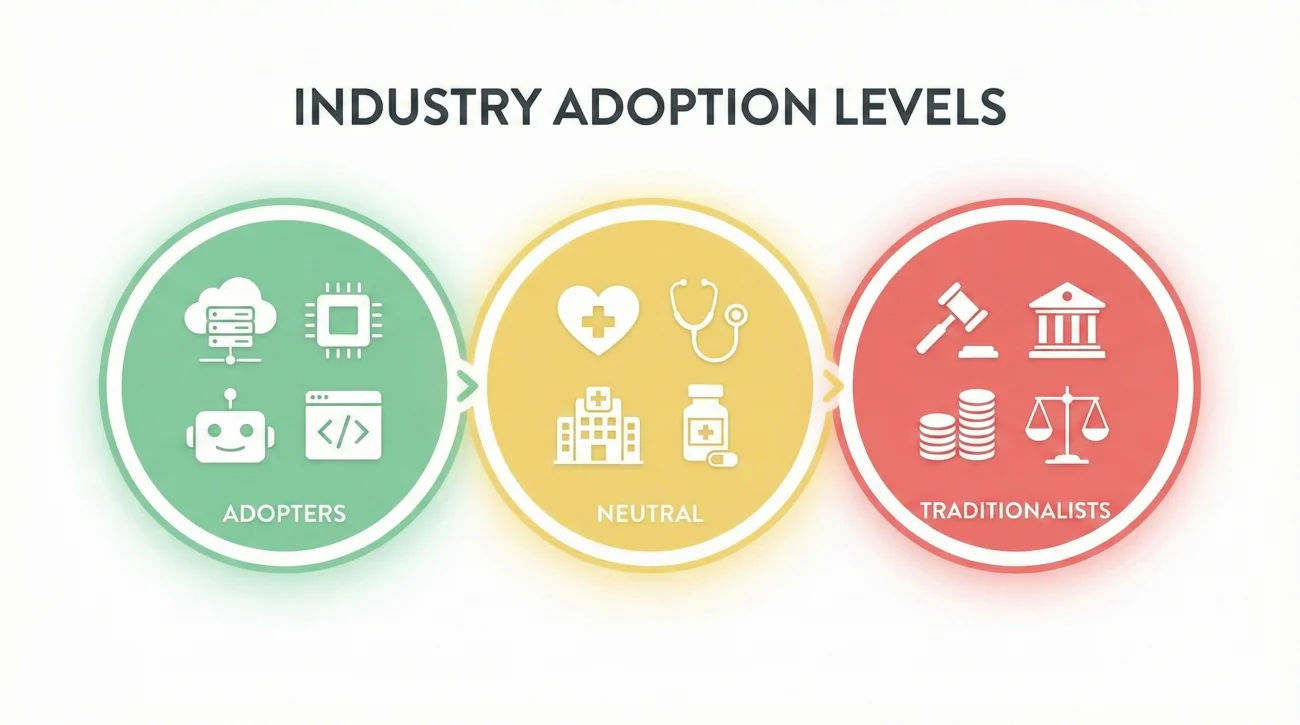
The Early Adopters: Tech, Creative, and NGO
In these sectors, displaying pronouns is not just accepted; it is often expected. It is part of the standard vernacular.
- SaaS & Technology: High adoption. Diversity is a core KPI for hiring. Not having pronouns won’t hurt you, but having them builds immediate rapport.
- Marketing & Advertising: Very high adoption. It signals you understand contemporary cultural shifts and audience demographics.
- Non-Profits & Education: Essential. These fields prioritize human-centric values. Omitting them might even signal a lack of awareness.
The Neutral Zone: Healthcare, Sales, and Corporate
Here, the practice is mixed. You will see a 50/50 split depending on the age of the company and its geographic location.
- Healthcare: Patient-facing roles often use them to build trust. Administrative roles are slower to adopt.
- B2B Sales: Many sales professionals use them to “soften” their outreach and appear more approachable, but it varies by target market.
The Traditionalists: Finance, Law, and Heavy Industry
These sectors value tradition, hierarchy, and formality. While changing, they are the slowest to adapt.
- Investment Banking & PE: Low adoption. Profiles tend to be austere and purely factual.
- Big Law: Varies. New-age firms embrace it; “White Shoe” firms often stick to rigid standards.
- Construction & Manufacturing: Generally viewed as unnecessary information. The focus is strictly on operational capability.
📌 Strategic Tip: If you are targeting a conservative industry but value inclusivity, consider the “Your Network” visibility setting. This allows you to maintain professional neutrality publicly while being open with those you have already connected with.
The Impact on Personal Branding and First Impressions
Your LinkedIn profile is a landing page, and you are the product. Every element contributes to the “User Experience” (UX) of the recruiter or client viewing your page. Pronouns, when used correctly via the native feature, improve the UX by reducing cognitive load.
🅰️ Scenario A: The Ambiguous Profile
A recruiter finds a profile for “Leslie Johnson.” No photo (or a neutral photo). No pronouns. The recruiter wants to send a personalized InMail but hesitates on the salutation. “Mr. Johnson?” “Ms. Johnson?” They might default to a generic “Hi Leslie,” which feels less personal, or skip the message entirely to avoid embarrassment.
🅱️ Scenario B: The Optimized Profile
The recruiter finds “Leslie Johnson (He/Him).” The mental friction is gone. They can confidently write “Dear Mr. Johnson” or refer to him correctly to a hiring manager. The path to communication is smoothed.
Furthermore, effective personal branding requires consistency. If your Resume, Email Signature, and Zoom display name include pronouns, your LinkedIn profile should align with them. Discrepancies create a fractured brand image. If you are refining your overall profile strategy, ensure your headline is doing the heavy lifting for your value proposition while your pronouns handle the identity work.
To see how top-tier professionals are balancing these elements, I recommend reviewing high-performing LinkedIn headline examples that showcase how to separate technical skills from personal details effectively.
❓ FAQ
🌐 Will adding pronouns affect my LinkedIn SEO ranking?
📱 Why can’t I see the option to add pronouns on my profile?
💼 Is it unprofessional to have “They/Them” on a corporate profile?
🚫 Can I remove pronouns after I have added them?
📝 Should I use emojis or fancy fonts in my pronouns?
Final Verdict: To Display or Not to Display?
The decision to utilize the how to add pronouns to LinkedIn headline feature is ultimately a personal audit of your safety, your industry, and your values. There is no “one size fits all” mandate in content strategy.
If you are in a progressive field or have a name that is frequently gender-misidentified, the ROI of adding pronouns is high. It costs you nothing and gains you clarity. If you are in a highly conservative sector and fear unconscious bias might hinder your initial foot-in-the-door, it is a valid strategic choice to omit them or restrict visibility to your network.
However, never let the mechanics of identity obscure your professional value. Your pronouns are your introduction; your headline is your hook. Ensure you are not neglecting the latter. For a deeper understanding of how to construct a headline that converts traffic into offers, explore our core resource on mastering the LinkedIn headline.
In the end, the best profile is one that authentically represents you while speaking the language of your target audience. Use the tools LinkedIn provides, but use them with intention.
For more examples and swipeable headline ideas, head over to the blog.