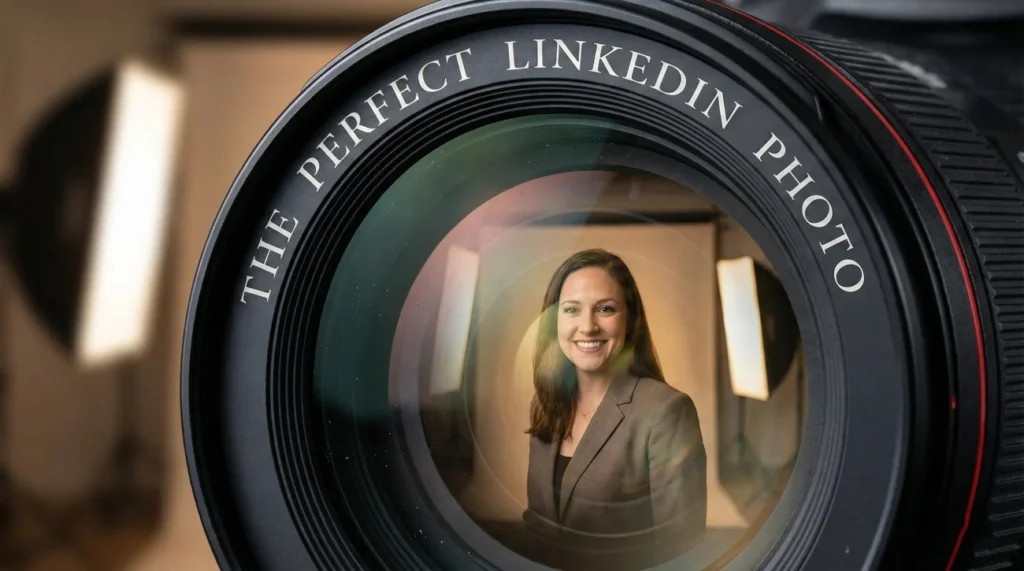
- Core takeaway: Your photo is your first credibility filter, and people judge trust and competence in a split second.
- What to optimize: Balance competence and warmth with direct eye contact and a natural smile, not a stiff or “too playful” expression.
- Technical essentials: Upload at least 1600×1600, use flattering light, and crop for LinkedIn’s circle so your face fills about 60%.
- Context matters: Dress and background should match your target industry, because “professional” depends on the role you want.
- Smart shortcuts and risks: A phone can work with window light and a tele lens, while AI headshots only work if they look realistically like you.
The ROI of a First Impression: Why Your Photo is Business Critical
In the digital economy, your handshake has been replaced by your JPEG. Before a recruiter reads a single word of your resume, before a client reviews your portfolio, and before an investor checks your credentials, they look at your best profile photo for LinkedIn. This split-second visual cognition, known in psychology as “thin-slicing,” allows humans to make complex judgments about trustworthiness, competence, and likeability within 100 milliseconds.
According to LinkedIn’s proprietary data, profiles with professional photos receive 21 times more profile views and 36 times more messages. However, the metric that matters is not just views; it is perception. A poorly lit, pixelated, or contextually inappropriate photo creates a subconscious barrier. It signals a lack of attention to detail or a misunderstanding of professional norms.
This deep-dive guide moves beyond the generic advice of “wear a suit.” We will engineer the perfect headshot by combining technical specifications, lighting theory, and industry-specific branding strategies to ensure your visual identity converts traffic into opportunities.
Visual Psychology: What Recruiters Actually See
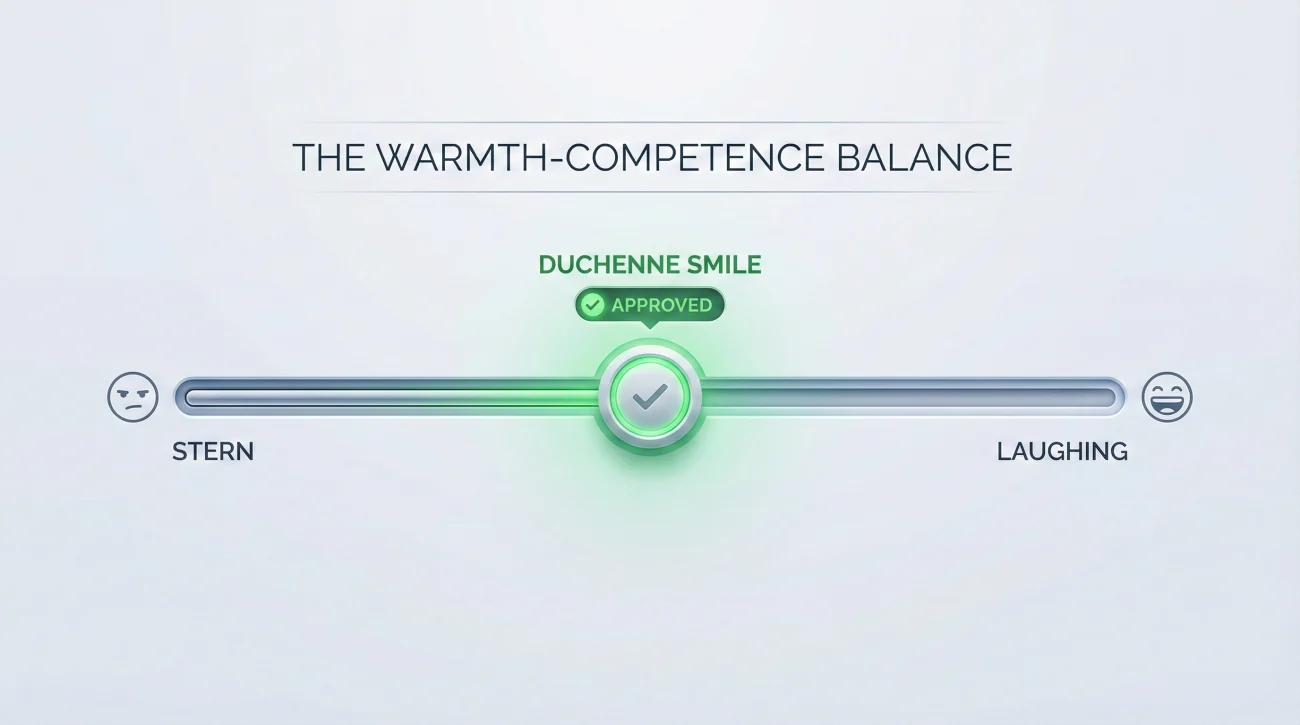
When a hiring manager scans a search result page, they are looking for “Social Signals.” Your photo is the primary carrier of these signals. The goal is to maximize two distinct psychological traits: Competence (Can they do the job?) and Warmth (Do I want to work with them?).
The Competence vs. Warmth Trade-off
Balancing these two traits is an art form. A “stern” face might signal high competence but low warmth (risking being seen as difficult). A “laughing” face signals high warmth but potentially lower competence (risking being seen as junior). The sweet spot is the “Duchenne Smile” – a genuine smile that engages the muscles around the eyes (orbicularis oculi), signaling authentic confidence.
| Signal | Visual Cue | Psychological Interpretation |
|---|---|---|
| High Trust | Direct Eye Contact | “I have nothing to hide. I am confident.” |
| Approachability | Visible Teeth (Smile) | “I am open to collaboration and feedback.” |
| Authority | Darker Clothing / “Power” Colors | “I am serious about my profession.” |
| Creativity | Asymmetrical Composition | “I think outside the box.” |
Technical Engineering: Resolution, Lighting, and Cropping
A great expression ruined by bad compression is a wasted opportunity. Let’s strictly define the technical parameters required for a high-performance image.
The “Retina-Ready” Standard
While LinkedIn officially accepts 400×400 pixels, this is the bare minimum for 2010 screens. On modern 4K monitors and Retina mobile displays, a 400px image looks fuzzy.
Strategic Recommendation: Upload an image of at least 1600×1600 pixels. This ensures crispness even when viewed full-screen on high-density displays.
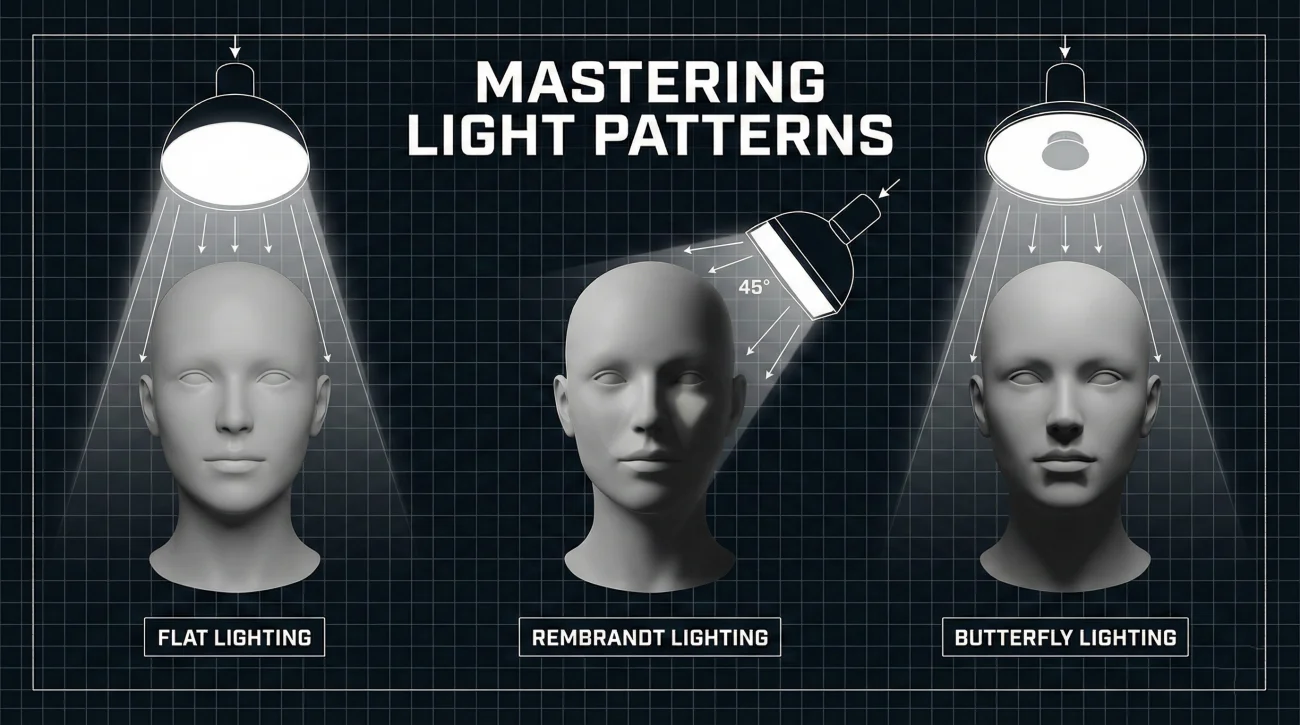
Lighting Patterns: Rembrandt vs. Butterfly
Lighting is not just about brightness; it is about sculpting the face.
- Flat Lighting (The Passport Look): Light hitting directly from the front. It removes all shadows but creates a 2D, boring effect. Avoid this.
- Rembrandt Lighting (The Executive Look): Light source at 45 degrees. Creates a small triangle of light on the shadowed cheek. Signals depth and gravity. Ideal for C-Suite and Finance.
- Butterfly Lighting (The Beauty Look): Light source directly above and in front. Shadows fall directly under the nose. Highlights cheekbones. Ideal for Media, Sales, and Personal Brands.
The “Head-and-Shoulders” Rule
LinkedIn uses a circular crop. This is a UI constraint that ruins many photos.
The Rule of 60%: Your face should occupy 60% of the circle.
The Mistake: Including your torso or elbows. If you are zoomed out too far, your face becomes unrecognizable on mobile devices. If you are zoomed in too close (cropping the chin or forehead), it feels invasive.
The “Dress Code” Paradox: Contextual Branding
There is no universal “professional” look. A hoodie is professional for a Seed-Round Founder; a hoodie is unprofessional for a Mergers & Acquisitions Lawyer. You must dress for the job you want, not the job you have.
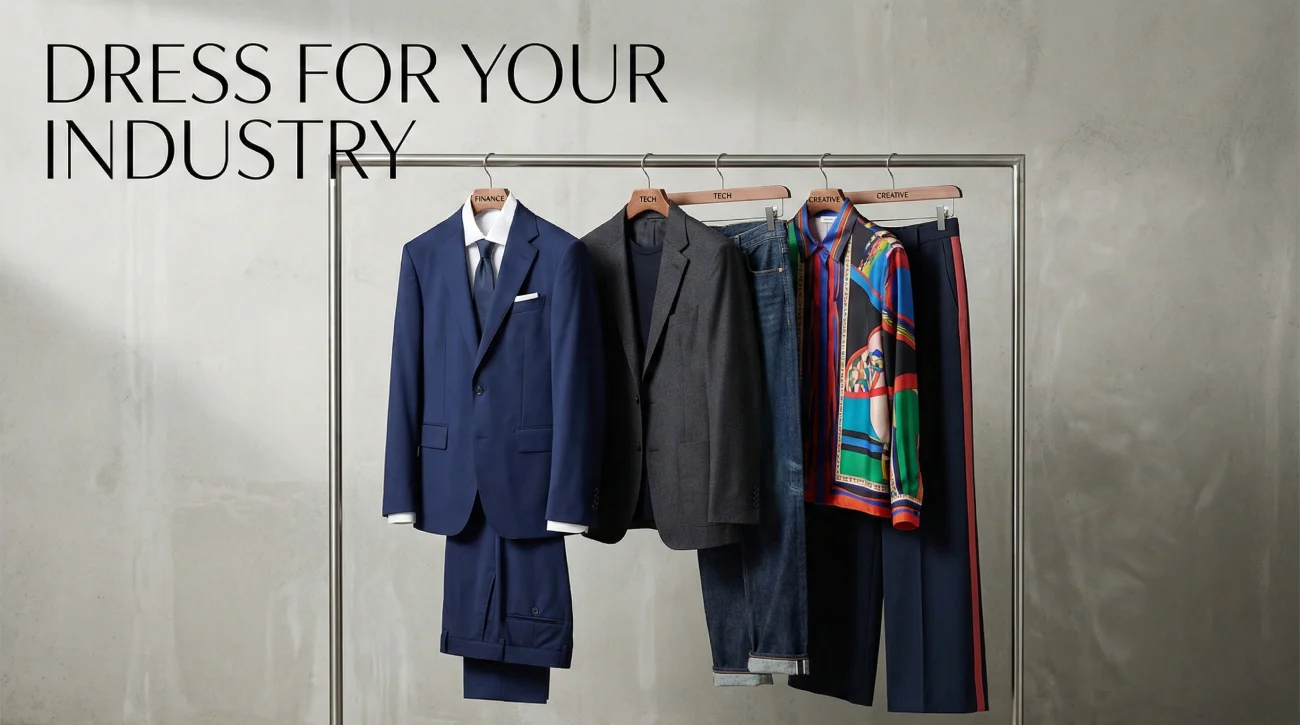
1. The “Old Guard”: Finance, Law, Corporate Consulting
🎯Goal: Stability, Risk Aversion, Authority.
- Men: Charcoal or Navy suit. White shirt. Tie is optional but recommended for high finance.
- Women: Structured blazer. High neckline. Conservative jewelry.
- Background: Solid grey, white, or out-of-focus office library.
2. The “Disruptors”: Tech, SaaS, Startups
🎯 Goal: Agility, Intelligence, Accessibility.
- Men: High-quality T-shirt (no logos), Oxford shirt, or casual blazer over a tee.
- Women: Smart casual top, bold colors (signals energy), less structured than corporate.
- Background: Colorful solid background (gradients), open office plan, or outdoor urban setting.
3. The “Visionaries”: Design, Marketing, Media
🎯 Goal: Personality, Taste, Uniqueness.
- Strategy: You are the product. Wear colors that match your personal brand palette. Glasses, hats (if part of your brand), and accessories are welcome.
- Background: Texture (brick, wood), studio colors, or artistic blurring.
The DIY Protocol: Taking a Pro Headshot with a Smartphone
You do not always need a $500 session with a photographer. Modern smartphones (iPhone 14 Pro/Pixel 7 or newer) have sensors capable of professional results if – and only if – you control the environment.
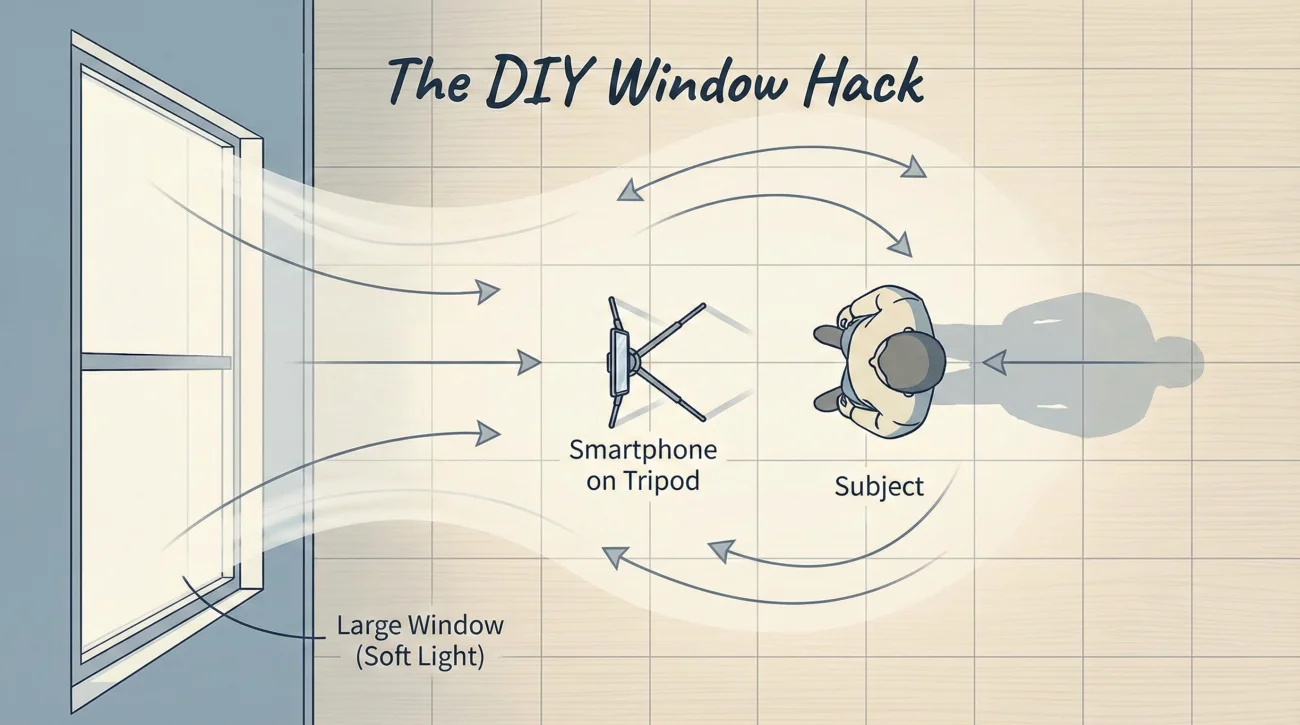
Step 1: Find the “Soft Box”
Never use the camera flash. Never stand in direct sunlight (it creates harsh raccoon-eye shadows).
🔆 The Hack: Stand facing a large window on a cloudy day, or a window with a sheer white curtain. This creates a giant “soft box” that wraps light around your face, hiding wrinkles and blemishes naturally.
Step 2: The Telephoto Lens
🚫 Crucial Mistake: Using the standard “1x” wide lens. Wide lenses distort facial features, making the nose look larger and the ears look smaller (the “fisheye” effect).
👉The Fix: Step back 6 feet and use the “3x” (Telephoto) lens or “Portrait Mode.” This compresses the background and renders facial proportions accurately.
Step 3: The “Turtle” Technique
It feels unnatural, but it looks great: Push your forehead slightly forward towards the camera (like a turtle extending its neck). This tightens the jawline and eliminates the “double chin” effect caused by relaxed posture.
The AI Dilemma: Should You Use Generative Headshots?
In 2024, AI tools like Aragon, HeadshotPro, and others offer “perfect” headshots for $29. As a strategist, my advice is cautious.
| Pros of AI Headshots | Cons of AI Headshots |
|---|---|
| ✅ Cost & Speed: 100 photos in 2 hours for under $50. | ❌ The “Uncanny Valley”: AI often smooths skin too much, creating a plastic, non-human look that subconsciously signals “fake.” |
| ✅ Variety: Test 50 different outfits without changing clothes. | ❌ Trust Breach: If you walk into an interview and look 10 years older or 20lbs heavier than your AI photo, you have started the relationship with a lie. |
Verdict: Use AI only if you cannot afford a photographer or take a good DIY photo. If you use it, select the most realistic, least “perfect” iteration. Authenticity converts better than perfection.
Visual Audit: 5 Mistakes That Kill Credibility
I have audited thousands of profiles. These are the instant disqualifiers.
- ❌ The “Crop-Out”: We can see your friend’s shoulder or a disembodied hand on your shoulder. It looks lazy.
- ❌ The “Car Selfie”: The seatbelt is visible. The lighting is weird. It screams “I did this at a red light.”
- ❌ The “Wedding Photo”: You are in a tuxedo or gown. You look great, but you are clearly at a party holding a champagne flute. It signals “social” not “business.”
- ❌ The “Avatar”: Using an NFT, a cartoon, or a logo instead of a face (unless you are an anon crypto dev). Humans trust humans.
- ❌ The “Void”: Having no photo at all. In the LinkedIn algorithm, this renders you invisible.
❓ FAQ
🤳 Can I use a selfie if it looks professional?
🌈 Is a colorful background unprofessional?
🕶️ Should I wear my glasses?
🗓️ How often should I update my photo?
⚫⚪ Is Black & White (B&W) photography better?
Final Thoughts: Your Face is Your Logo
In the digital age, we do not have the luxury of in-person charisma to make a first impression. We have pixels. Your LinkedIn profile photo is the anchor of your personal brand. It dictates how the headline is read and how the summary is perceived.
Do not treat it as an afterthought. Invest the time to get the lighting right. Choose your attire with strategic intent. Whether you hire a pro or hack it with an iPhone, ensure the final result signals exactly what you want to sell: Competence, Confidence, and Character.
Once your visual branding is secured, the next step is to ensure your text converts just as well. Explore our guide to crafting effective LinkedIn headlines to align your message with your image, or browse proven profile examples across industries to benchmark your visual strategy against the best in your field.
For more examples and swipeable headline ideas, head over to the blog.