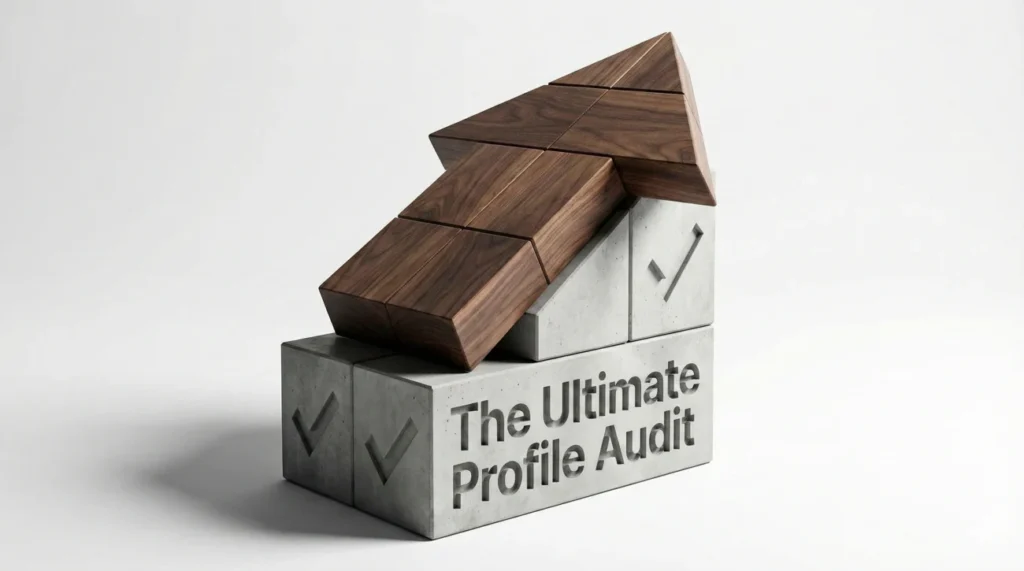
- Core shift: Your LinkedIn profile is an algorithm-driven landing page, not a static digital resume.
- 3-engine audit: Visuals (Trust), SEO (Visibility), Narrative (Conversion) must work together or the profile will not convert.
- Visual trust checklist: Fix headshot quality and framing, replace the default banner, and ensure everything reads clean on mobile.
- SEO checklist: Start with a standard job title, add 2 hard-skill keywords, front-load the most important terms, and use all 50 skills.
- Conversion and upkeep: Write an About that hooks and proves with numbers, strengthen Experience with outcomes and media, then maintain weekly and quarterly updates while avoiding silent killers like typos and unclickable links.
From “Digital Resume” to “24/7 Sales Engine”: The Ultimate Audit
Most professionals treat their LinkedIn profile like a gym membership: they sign up with good intentions, visit once a month, and wonder why they aren’t seeing results. They approach profile updates haphazardly – tweaking a headline here, adding a skill there – without a cohesive strategy.
This is a fundamental strategic error. Your LinkedIn profile is not a static digital resume; it is a dynamic, algorithm-driven landing page for your personal brand. In a digital-first economy, it is often the only impression you get to make. Just as a pilot wouldn’t take off without a pre-flight checklist, you shouldn’t navigate your career without a comprehensive LinkedIn profile checklist. A systematic audit is the only way to ensure that the three critical engines of your profile – Visuals (Trust), SEO (Visibility), and Narrative (Conversion) – are firing in sync.
This guide is your master flight manual. We have moved far beyond basic advice (“Upload a photo”) to strategic imperatives (“Optimize visual trust signals using the 60% rule”). Whether you are actively job hunting, passively open to opportunities, or building industry authority, this deep-dive audit will transform your profile from a passive placeholder into an active opportunity generator.
Phase 1: The Visual Audit (The “Trust” Engine)
Humans are visual creatures. We process visual information 60,000 times faster than text. Before a recruiter reads a single word of your headline, they have already made a subconscious judgment based on your visuals. This is the “Blink Test.” If you fail here, your SEO doesn’t matter.
1. The Headshot: The High-Resolution Handshake
Your photo is your digital handshake. A blank avatar is a death sentence (viewed as a bot or inactive user). But a bad photo is almost as damaging.
- ℹ️ The “Eyes” Rule: Are your eyes visible and looking at the camera? Sunglasses, shadows, or distant shots reduce “Trust Metrics” significantly. Eye contact creates a oxytocin response, even digitally.
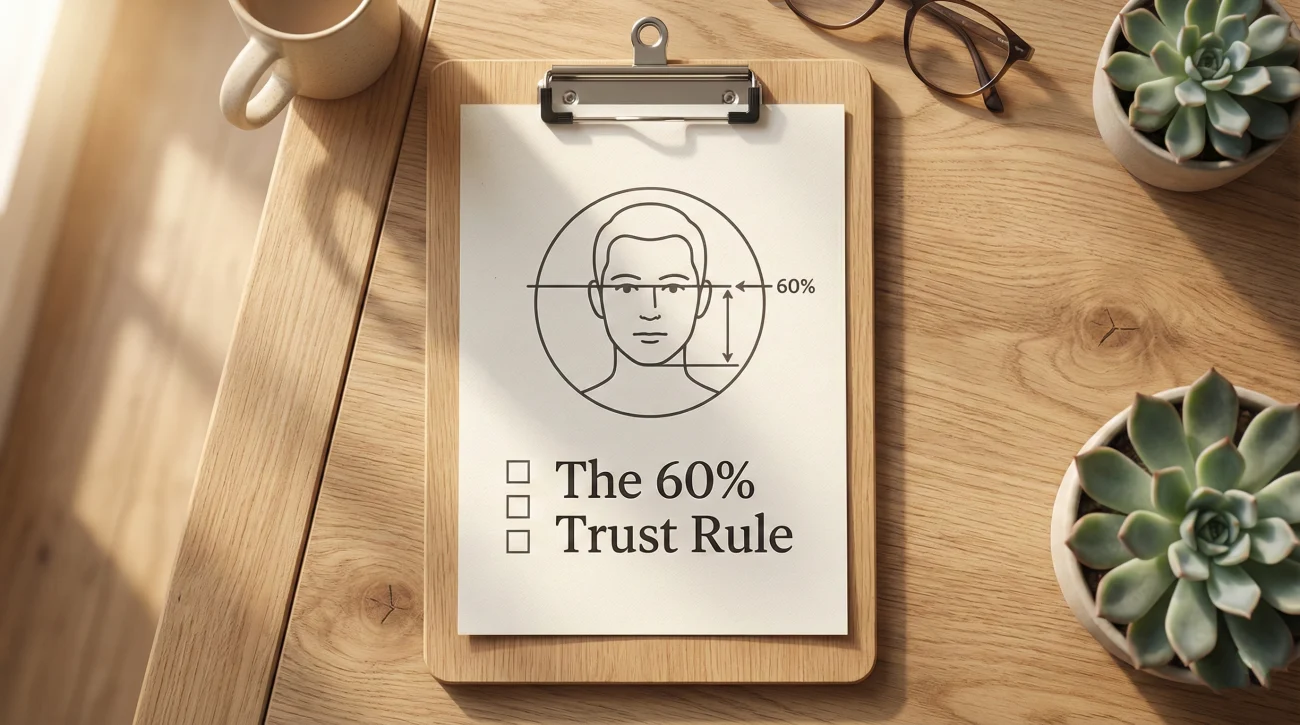
- ℹ️ The 60% Ratio: Does your face take up at least 60% of the frame? Long-distance shots make you unrecognizable on mobile devices (where 60% of traffic originates). Crop tight.
- ℹ️ The “Smile” Signal: Are you approachable? A slight smile increases “Likability” scores, which correlates with higher message response rates. You don’t need a grin, but you need to look pleasant to work with.
- ℹ️ Background Discipline: Is the background non-distracting? A solid color, a blurred office environment, or a neutral texture is the gold standard. Avoid chaotic backgrounds (weddings, parties, crops of other people).
- ℹ️ Lighting Check: Is the light source in front of you? Backlighting makes you a silhouette. Side lighting creates harsh shadows. Soft, frontal lighting is non-negotiable.
2. The Banner Image: Your Prime Real Estate
This is the billboard behind your head. Leaving it as the default grey geometric pattern signals “Digital Laziness.” It says, “I don’t care about details.”
- ℹ️ No Default Grey: Have you removed the default LinkedIn background? This is the easiest win.
- ℹ️ Contextual Relevance: Does the image reflect your industry?
- Tech: Code on a screen, server racks, abstract nodes.
- Architecture: A skyline, blueprints, a finished structure.
- Speaker/Leader: A photo of you on stage (Social Proof).
- ℹ️ Value Proposition Layer: (Advanced) Does your banner include a text overlay? (e.g., “Helping SaaS Companies Scale” or your website URL). Keep it simple; don’t clutter.
- ℹ️ Device Compatibility: Have you checked how it looks on mobile? The profile photo cuts into the banner differently on mobile vs. desktop. Ensure text isn’t obscured.
Phase 2: The SEO Audit (The “Search” Engine)

If you aren’t found, you can’t be hired. Recruiters use “Boolean Search” strings to filter candidates. This phase ensures you survive those filters.
3. The Headline: The 220-Character Pitch
This is the most heavily weighted text field for the LinkedIn algorithm.
- ℹ️ Title Standardization: Does it start with a standard job title (e.g., “Product Manager”)? Avoid creative fluff like “Innovation Ninja” or “Chief Happiness Officer” unless you pair it with a standard title.
- ℹ️ The Separator Syntax: Do you use vertical bars (|) or bullets (•) to separate concepts? This saves space compared to full sentences. (e.g., Role | Hard Skill | Industry).
- ℹ️ Hard Skills Injection: Does it include your top 2 hard skills? (e.g., Python, B2B Sales, GAAP, Mergers & Acquisitions). Recruiters search for skills, not just titles.
- ℹ️ Buzzword Detox: Have you removed empty calories? Delete words like “Passionate,” “Looking for opportunities,” “Guru,” “Dedicated,” and “Hardworking.” They use up space without adding SEO value.
- ℹ️ Front-Loading: Is your most important keyword in the first 40 characters? On mobile notifications, this is often all that is visible.
4. The Skills Section: The Metadata Layer
LinkedIn allows 50 skills. Use them all. This is metadata for the search engine.
- ℹ️ The “Full 50”: Have you used all 50 available skill slots? Profiles with 5+ skills get 17x more profile views, but maxing it out increases your “keyword surface area.”
- ℹ️ Top 3 Rotation: Are your top 3 pinned skills hard skills relevant to your target role? Hide soft skills like “Leadership” or “Microsoft Word” below the fold. Pin “Financial Modeling,” “Java,” or “Strategic Planning.”
- ℹ️ Job Description Match: Look at 5 job descriptions you want. Note the skills they list. Are those exact phrases in your skills section? (e.g., “GTM Strategy” vs “Go-to-Market”). Use the standard taxonomy.
5. The URL Optimization
- ℹ️ Clean URL: Have you claimed your vanity URL (linkedin.com/in/yourname) and removed the random numbers? This is vital for resume linking and looks cleaner in email signatures.
Phase 3: The Narrative Audit (The “Conversion” Engine)
Once you’ve hooked them with visuals and SEO, you must close them with your story. This is where you prove your value proposition.
6. The About Section: The Sales Letter
Do not paste your bio here. This is a pitch.
- ℹ️ The “Hook”: Do the first two lines force a “See More” click? Avoid starting with “I am a…” Start with a problem you solve or a bold statement.Example: “Scaling a startup is messy. I build the operational systems that clean up the mess.”
- ℹ️ White Space Strategy: Are there paragraphs longer than 3 lines? Break them up. Walls of text kill engagement on screens.
- ℹ️ The “Highlight Reel”: Do you have a bulleted list of your top 3-5 career achievements with numbers? (Revenue generated, time saved, efficiency gained).
- ℹ️ Keyword Weaving: Have you naturally included your LSI (Latent Semantic Indexing) keywords here? (e.g., referring to “Agile methodology” in a sentence).
- ℹ️ Contact Call-to-Action (CTA): Do you tell them how to contact you? (e.g., “DM me here or email x@gmail.com”). Make it easy for them to hire you.
7. The Experience Section: The Evidence Locker
This is where you prove you can do the job.
- ℹ️ Contextual Descriptions: Does every role have at least 2 lines of description? Empty roles look suspicious.
- ℹ️ The “Action-Result” Format: Do your bullets follow the “Did X, resulting in Y” structure? Focus on outcomes, not just outputs.
- ℹ️ Media Attachments: Have you attached PDFs, links, or videos to your key roles? Visual proof increases time-on-profile. (e.g., A slide deck of a talk, a link to a project).
- ℹ️ No Gaps: Have you explained employment gaps? (e.g., “Career Sabbatical,” “Parental Leave,” or “Independent Consultant”). Unexplained gaps raise red flags.
- ℹ️ Company Pages: Are the logos of your companies showing up? If you worked for a small company, make sure you linked to their official LinkedIn page so the logo appears. The “Grey Ghost” default logo looks unprofessional.
Phase 4: The Advanced Features (The Differentiators)
These features separate the top 1% of profiles from the average user.
8. The Featured Section: Your Portfolio
- ℹ️ Strategic Selection: Is this section visible? (It disappears if empty). Add it immediately.
- ℹ️ Content Mix: Do you have a mix of media?
- A high-performing LinkedIn post (Social Proof).
- A link to your portfolio/website (Conversion).
- A featured article or whitepaper (Authority).
- ℹ️ Relevance Check: Is the content less than 2 years old? Remove outdated features. A post from 2018 signals you are “past your prime.”
9. Social Proof: Recommendations
- ℹ️ Recency: Do you have at least one recommendation from the last 12 months? Stale recommendations suggest your best work is behind you.
- ℹ️ 360-Degree View: Do you have a mix of managers (up), peers (across), and direct reports/clients (down)? This shows you manage relationships well in all directions.
- ℹ️ Given vs. Received: Have you given recommendations to others? A ratio of 0 Given / 10 Received looks selfish. A healthy ratio (e.g., 5 Given / 10 Received) signals a team player.
10. Creator Mode Settings
- ℹ️ Hashtag Selection: Have you selected 5 hashtags that define your content pillars? These appear at the top of your profile.
- ℹ️ Follow vs. Connect: Is the “Follow” button appropriate for your goals?
- Job Seekers: Often prefer “Connect” to build a network.
- Thought Leaders: Prefer “Follow” to build an audience.
- ℹ️ Audio Pronunciation: Have you recorded your name? Pro Tip: You have 10 seconds. Don’t just say your name. Say “Hi, I’m John, a Project Manager helping teams scale. Thanks for visiting.” It’s a free audio pitch.
The Maintenance Schedule: Keeping It Fresh
A profile is a living document. The algorithm favors “freshness.” Set a recurring calendar invite for these audits.
| Frequency | Action Items |
|---|---|
| Weekly (15 Mins) |
|
| Quarterly (30 Mins) |
|
| Yearly (60 Mins) |
|
Common “Silent Killers” to Avoid
Even with a checklist, watch out for these subtle errors that undermine credibility.
- The “Third Person” Bio: Writing “John is a visionary leader” creates psychological distance and sounds pompous. Use “I.” LinkedIn is a conversation, not a biography jacket.
- The “Link Tree” in About: Links in the About section are not clickable on mobile. This frustrates users. Put links in the “Contact Info” section or the “Featured” section where they function correctly.
- The “Open to Work” Desperation: Be careful with the green banner. If you are a senior executive, it can signal low demand. Use the “Recruiters Only” setting instead to maintain leverage.
- Inconsistent Dates: Recruiters look for timeline discrepancies. Ensure your LinkedIn dates match your CV exactly. A mismatch of even a month can look like dishonesty.
- Typos in Headlines: It happens more than you think. Proofread your Headline backwards. A typo in the most visible section destroys attention to detail credibility.
❓ FAQ: Profile Optimization Nuances
🔒 Should I turn off “Notify Network” when updating?
🌐 Can I have profiles in multiple languages?
📱 Does mobile optimization really matter?
🎓 Should I list my graduation year?
🕵️ How do I check if my profile is actually searchable?
site:linkedin.com/in "Your Name". If you don’t show up, check your Public Profile settings to ensure “Public Visibility” is On. Also, use the “Incognito Mode” test: open your profile link in an incognito window to see what a non-connection sees.Final Thoughts: The Compound Effect of Completeness
Completing this LinkedIn profile checklist is not just a “one-and-done” task. It is an investment in your most valuable digital asset. A fully optimized profile works for you while you sleep, ranking in searches, building trust with visitors, and converting passive views into active opportunities.
Don’t let the perfectionism of one section stop you from completing the whole. A 100% complete profile that is “good enough” will always outperform a profile with a perfect Headline but a blank Summary. Execute the checklist, hit “Save,” and watch your visibility metrics climb.
Ready to dive deeper into specific sections? Explore our detailed headline crafting guide for the most critical part of your optimization journey.
For more examples and swipeable headline ideas, head over to the blog.