
- Core reality: Recruiters use LinkedIn like a database via LinkedIn Recruiter, so you must optimize for filters before humans read you.
- Search funnel: They exclude first using Location, Title, Years, then Hard skills, then Pedigree or competitor context.
- Boolean language: Profiles get found when you include standard titles, true synonyms, and the exact skill terms recruiters string with OR and AND.
- Ranking hierarchy: Headline, Job titles, And Skills tags carry the most weight, Summary and Experience add supporting relevance.
- Fix framework: Audit job descriptions for keywords, standardize titles, fill skills, Write an SEO-rich summary, then pass the 6-second scan and avoid creative titles or vague generalist claims.
The “Invisible Candidate” Syndrome: Why Your Profile Isn’t Getting Hits
There is a fundamental disconnect in the modern job market – a massive psychological and technical gap between how professionals think they get hired and how the system actually operates. Most candidates approach LinkedIn like a social network or a digital resume, meticulously polishing their “About” section to tell a compelling life story. They assume a human being is on the other end, browsing through profiles with a cup of coffee, looking for “potential” or “passion.”
This assumption is not just wrong; it is dangerous to your career.
In reality, how recruiters use LinkedIn is closer to how a data scientist queries a database than how a user scrolls Instagram. For the corporate recruiter, LinkedIn is not a social network; it is a massive, noisy dataset. To manage this, they use a specialized enterprise software called LinkedIn Recruiter – a tool costing upwards of $10,000 per seat – that strips away the “social” fluff and reduces you to a set of data points.
If you feel like you are sending applications into a black hole, or that your profile is invisible, it is likely because you are optimizing for a human reader who hasn’t even seen you yet. You are failing the algorithmic gatekeeper. This guide is not just a list of tips; it is a strategic deep dive into the backend of the hiring machine. We will reverse-engineer the recruiter’s workflow, analyze the psychology of their decision-making, and provide you with a high-level framework to position yourself as the obvious choice before a human ever reads your name.
The Weapon of Choice: LinkedIn Recruiter vs. The Platform You Know
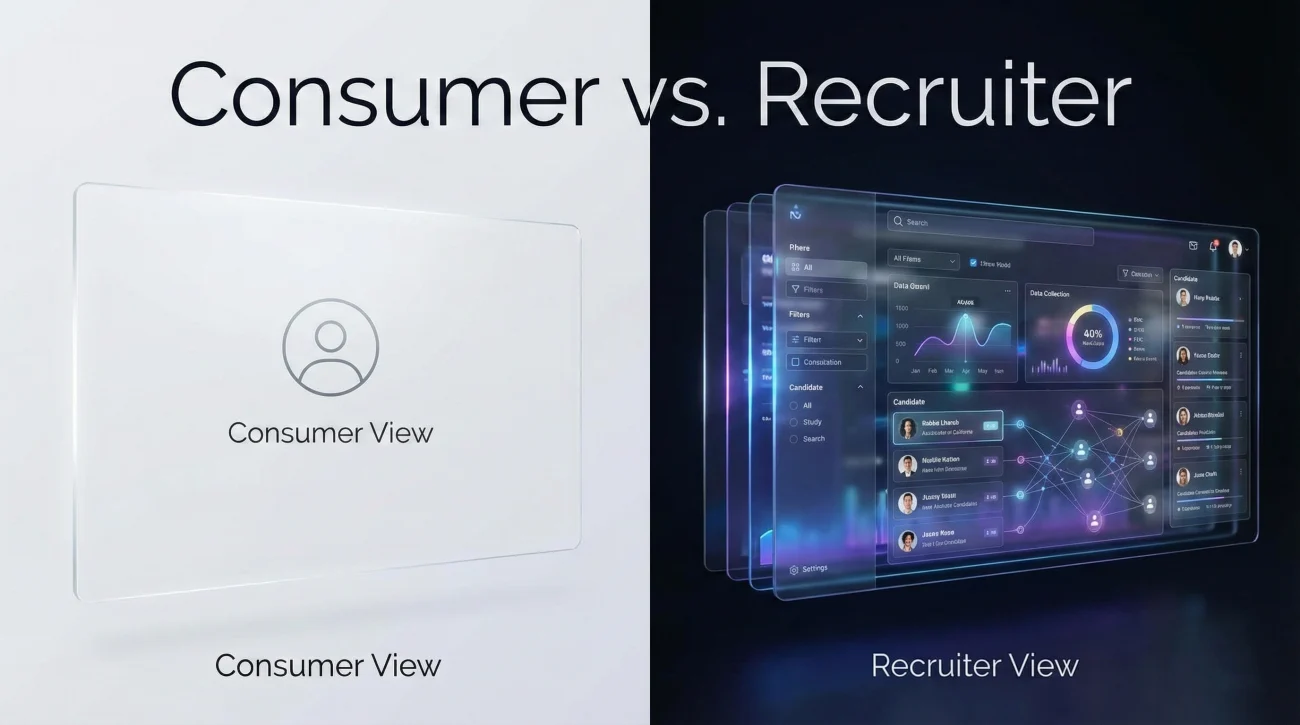
To win the game, you must understand the rules. The version of LinkedIn you see is the “Consumer” version. The version recruiters use is the “Enterprise” version. The difference between the two is like the difference between riding a bicycle and piloting a fighter jet.
The Consumer View (Your Reality)
You see a feed, connections, and a search bar that relies heavily on your personal network (1st, 2nd, and 3rd-degree connections). You are limited by who you know and who knows you. Your search filters are basic: Location, Company, maybe “People.”
The Enterprise View (Their Reality)
LinkedIn Recruiter is a standalone platform that sits on top of the LinkedIn database. It provides total access to the entire 900M+ user base, regardless of connection status. It is designed for high-volume filtration.
| Feature | Standard LinkedIn (You) | LinkedIn Recruiter (Them) |
|---|---|---|
| Search Scope | Limited by Network (1st/2nd/3rd) | Unlimited (Total Database Access) |
| Filters | ~10 Basic Filters | 40+ Advanced Filters (Years of Exp, Company Size, etc.) |
| Keywords | Simple Matching | Complex Boolean Logic (AND, OR, NOT, Parentheses) |
| Visibility | See who viewed you (Limited) | “Spotlight” Feature (See who is “Open to Work”) |
| Workflow | Connect & Message | Projects, Pipelines, Talent Pools, Mass InMails |
Strategic Insight for Executives: Think of LinkedIn Recruiter as Salesforce for talent. Recruiters are managing a pipeline. If you don’t fit the data parameters of the initial query (the “Lead Generation” phase), you never make it into the pipeline. Your goal is to ensure your metadata aligns perfectly with their query syntax.
The Psychology of the Search: Risk Aversion & The Path of Least Resistance
Before we discuss the algorithm, we must discuss the human operator. Recruiters are often overworked, handling 15-20 open requisitions simultaneously. They are under immense pressure to reduce “Time to Fill.”
This environment creates a mindset of Risk Aversion. A recruiter does not want to find a “diamond in the rough” because that takes time and effort to verify. They want the “Safe Bet” – the candidate who so obviously fits the role that the Hiring Manager will approve the interview immediately.
The Filtration Funnel
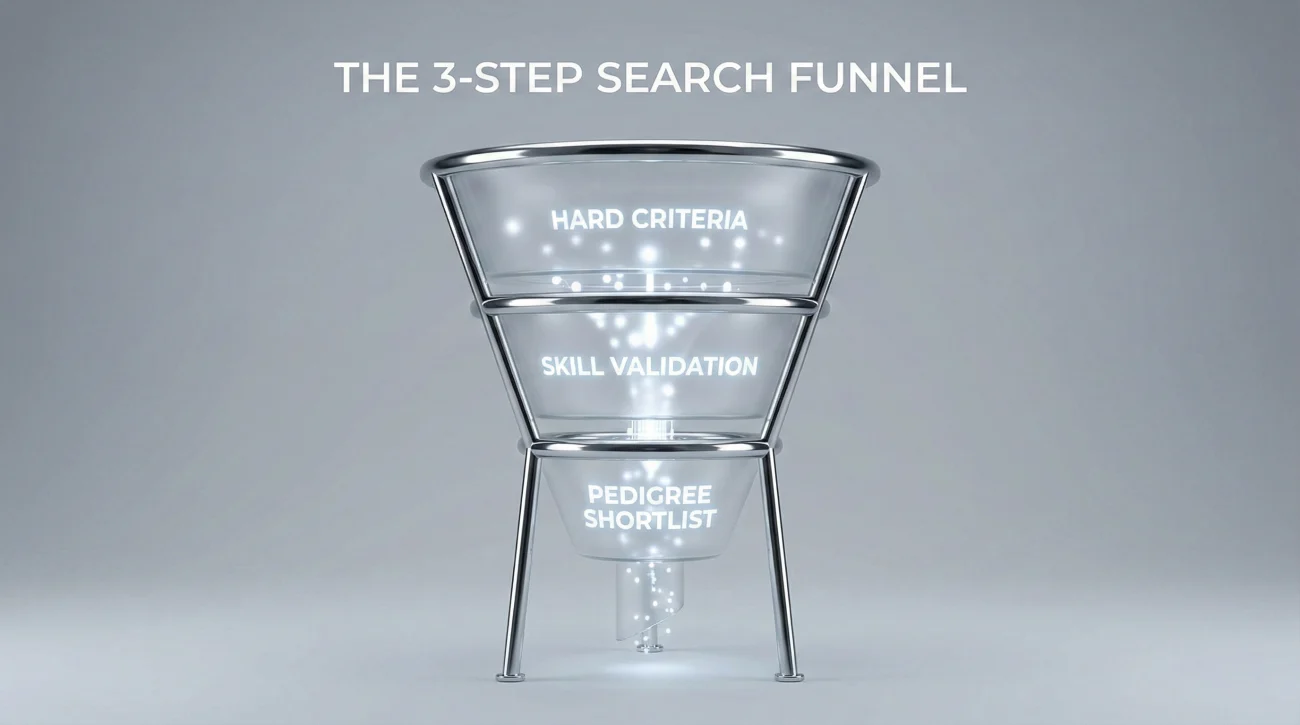
When a recruiter opens a new role, they don’t start reading profiles. They start excluding people. It is a process of elimination.
- Step 1: The Hard Criteria (The “Must-Haves”)
They input Location, Job Title, and Years of Experience. This cuts the pool from 900 million to maybe 50,000. - Step 2: The Skill Validation (The “Prove-It”)
They add specific hard skills (e.g., “Python,” “Financial Modeling,” “SaaS Sales”). This cuts the pool to 5,000. - Step 3: The Pedigree & Competitors (The “Shortlist”)
They filter by specific competitors (poaching talent) or industry keywords. Now the list is 500 actionable candidates.
“Recruiters are not looking for reasons to hire you. In the initial search phase, they are looking for reasons to rule you out. If your profile lacks the standard data points they use for filtration, you are ruled out by default.”
Mastering the Boolean Search: How to Speak “Recruiter”

Sophisticated recruiters and headhunters rely on Boolean Search strings. This is a mathematical way of searching that uses operators like AND, OR, and NOT to create precise candidate personas.
If you understand Boolean logic, you can reverse-engineer your profile to be caught in these nets.
The Operators
OR is your best friend. Recruiters use OR to cast a wide net for synonyms. If they are looking for a “Growth Manager,” they know some companies call this role “Marketing Manager” or “Demand Gen Lead.”
AND is the filter. This ensures you have both the title AND the skill.
Real-World Search String Examples
Scenario 1: The SaaS Sales Leader
What the Recruiter Types:
("Account Executive" OR "Sales Manager" OR "VP Sales") AND ("SaaS" OR "Software as a Service" OR "Cloud") AND ("Enterprise" OR "B2B") AND ("Closing" OR "Hunter")
Analysis: If your profile only says “Sales Rep” and you never mention “SaaS” or “B2B,” you are invisible to this string. You must diversify your keyword portfolio.
Scenario 2: The Senior Project Manager
What the Recruiter Types:
("Project Manager" OR "Program Manager") AND ("PMP" OR "Agile" OR "Scrum") AND ("Budget Management" OR "P&L") NOT "Intern"
Analysis: Note the NOT operator. Recruiters actively exclude junior roles. Ensure your current title accurately reflects your seniority to avoid being filtered out by negative keywords.
The Algorithmic Ranking: Why You Appear on Page 10 Instead of Page 1

Appearing in the search results is only step one. The real battle is ranking. LinkedIn returns results in pages of 25. Most recruiters rarely go past Page 3 (the first 75 candidates). How does the algorithm decide who gets the top spot?
It is not random. It is a weighted score based on Relevance Density.
The Hierarchy of Keyword Weighting
The algorithm scans your profile for the search terms, but it assigns different “scores” based on where those words appear.
- 🥇 The Headline (High Impact): This is the H1 tag of your profile. Keywords here carry the most weight. A headline like “Senior Marketing Manager | B2B SaaS | Growth Strategy” is infinitely more powerful than “Helping companies grow.”
- 🥈 Job Titles (High Impact): Current and past titles. If you have a creative internal title (e.g., “Chief Happiness Officer”), change it to the industry standard (e.g., “HR Director”) for the external display.
- 🥉 The Skills Section (Critical Filter): This acts as a tagging system. If a recruiter checks the box for “Project Management” in the filter menu, and you don’t have that specific tag in your Skills section, you disappear – even if you wrote about project management in your bio.
- Summary & Experience (Contextual Impact): Used for keyword density and context, but holds less algorithmic weight than the structured data fields above.
For a detailed breakdown of how to construct a high-ranking headline, refer to our comprehensive guide on crafting the perfect LinkedIn headline.
Strategic Optimization Framework: A Step-by-Step Guide

Now that we understand the mechanism, let’s build the strategy. This is not about “polishing” your profile; it is about architectural restructuring.
Step 1: The Keyword Audit
Don’t guess what keywords you need. Let the market tell you. Find 5-10 Job Descriptions (JDs) for your target role. Copy them into a word cloud generator or simply highlight the recurring nouns (Hard Skills, Tools, Certifications). These are your “Keywords of Power.”
Step 2: Title Standardization
If your official title is niche or vague, use the pipe character `|` to add the standard equivalent. For example: “Lead Catalyst (Project Manager)”. This satisfies HR’s background check requirement while ensuring the algorithm categorizes you correctly.
Step 3: Skill Stacking
Go to your Skills section. You have 50 slots. Use all of them. But be strategic:
Top 3 Skills: Must be the core competencies of your target role.
Next 20 Skills: Hard skills, software, and tools (e.g., JIRA, Salesforce, Python).
Remaining Skills: Soft skills and industry terms.
Step 4: The SEO-Rich Summary
Write your “About” section for the algorithm first, and the human second.
The Structure:
The Hook (Lines 1-3): Your Value Proposition. (What do you do and for whom?)
The Keywords (Middle): A section titled “Core Competencies” or “Technical Skills” where you list your keywords in a readable format.
The Proof (End): Key achievements with numbers.
The “6-Second Scan”: Optimizing for Human UX

Once the algorithm places you on Page 1, the human recruiter takes over. Research shows recruiters spend an average of 6 seconds on their initial scan of a profile. You need to respect their visual hierarchy.
What they look at (in order):
- Photo: Is this a real person? Do they look professional?
- Headline: Does this person do what I need?
- Current Company: Is it a relevant industry/competitor?
- Tenure: Have they been there long enough (stability) or too long (stagnation)?
- Education: (Often a quick glance for required degrees).
The “Don’t Make Me Think” Rule: If a recruiter has to scroll or read a dense paragraph to figure out if you are a “Java Developer” or a “Project Manager,” you have already lost. Make your identity obvious and instant.
For inspiration on how top professionals structure their profiles for instant recognition, browse our library of industry-specific headline examples.
The Anti-Patterns: Common Mistakes That Kill Visibility
Even senior executives fall into these traps. These are the “silent killers” of profile performance.
| ❌ The Mistake | 🧠 The Psychological/Technical Impact | ✅ The Strategic Fix |
|---|---|---|
| The “Creative” Title (e.g., “Marketing Ninja”, “Code Wizard”) | Algorithm Failure: Recruiters search for standard titles (“Marketing Manager”). Your creative title has zero search volume. | Use the standard industry title in your Headline and Experience sections. Save the creativity for the About section. |
| The “Generalist” Trap (Trying to be everything to everyone) | Risk Aversion: Recruiters hire specialists to solve specific problems. A generalist looks like a risk. | Niche down. Tailor your profile to one specific career path or target role. |
| Ignoring the “Open to Work” Settings | Invisibility: You miss out on the “Spotlight” filter that prioritizes candidates willing to move. | Enable “Open to Work” visible only to recruiters. This signals availability without looking desperate publicly. |
| Empty Skills Section | Filtration Error: Even if you mention “SQL” in your bio, if it’s not a “Skill” tag, you fail the hard filter. | Manually add every relevant hard skill. LinkedIn’s algorithm treats these as primary metadata tags. |
| The “Ghost” Profile (No activity for months) | Relevance Decay: The algorithm prioritizes active users. Dormant profiles are pushed down the ranking. | Engage lightly. Like 3 posts a week. Comment once. Update your profile slightly every quarter to “ping” the system. |
❓ FAQ: Expert Answers to Tough Questions
🔒 Can my current employer see if I turn on “Open to Work” for recruiters?
📉 Does applying for too many jobs hurt my algorithmic ranking?
💎 Is LinkedIn Premium worth it for getting found?
⏱️ How far back should my experience go?
Final Thoughts: Stop Guessing, Start Strategizing
The gap between candidate perception and recruiter reality is where opportunities are lost. While your competitors are busy obsessing over the perfect cover letter (which almost no one reads), you now have the blueprint to dominate the digital supply chain of talent.
Remember the core hierarchy of how recruiters use LinkedIn:
1. They use aggressive filtration to remove the noise.
2. They rely on Boolean logic to find exact matches.
3. They value standardized data over creative storytelling.
Your profile is a product in a marketplace. Ensure your packaging (Headline/Photo) is attractive, your ingredients (Skills/Keywords) are clearly listed, and your distribution strategy (Settings/Activity) is active. By aligning your digital footprint with the technical reality of the LinkedIn Recruiter platform, you move from being an “Invisible Candidate” to being the “Obvious Choice.”
For more examples and swipeable headline ideas, head over to the blog.