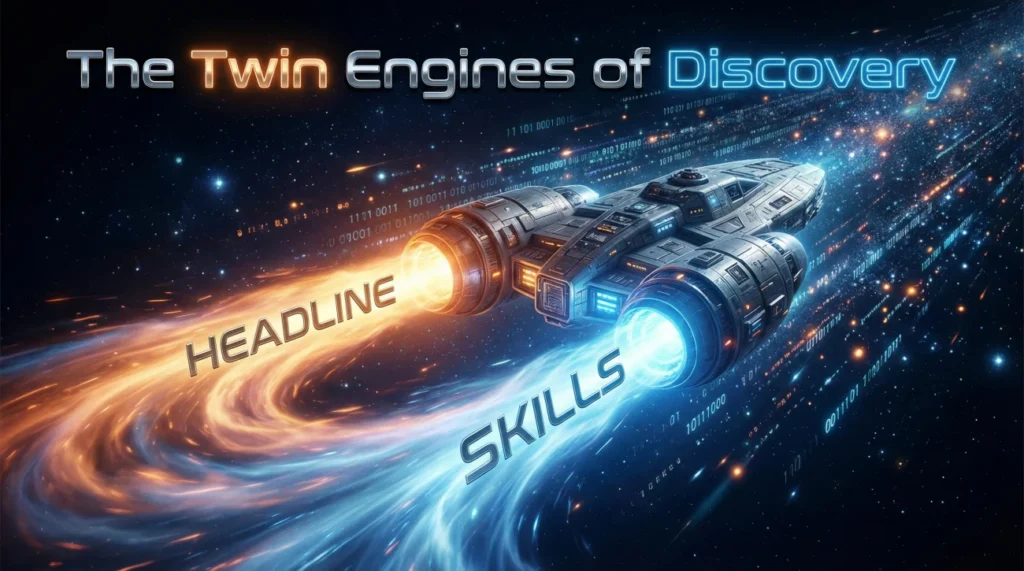
- Twin Engines: Headline is the human hook, Skills is the robot filter, You need both aligned to be found and clicked.
- How Search Works: Keyword search weights the Headline heavily, Skills filter ignores Headline and reads only standardized skill tags.
- Echo Strategy: Every headline hard skill must appear in Skills, Then expand with synonyms, Then add supporting tools for credibility.
- Execution: Pick your Power Three, Put them in the Headline, Pin the same three Skills, Fill the rest with relevant variations only.
- Avoid Traps: No orphan headline skills, No irrelevant pinned skills, No keyword stuffing, Update Skills when your target role changes.
The “Twin Engines” of Discovery: Why You Need to Coordinate Your Headline and Skills
There is a dangerous misconception in the LinkedIn optimization world: that your Headline and your Skills section are two separate entities, operating in isolation. Many professionals treat their Headline as a 220-character creative writing exercise – a place for catchy slogans like “Helping companies grow” – while treating their Skills section as a chaotic junk drawer for every tool, software, and soft skill they have touched since 2010. This lack of strategic coordination is not just a formatting error; it is a critical failure in personal branding that renders invisible to the very people trying to find you.
To truly dominate search results, you must understand the LinkedIn headline vs skills section relationship as a unified ecosystem. Think of these two elements as the “Twin Engines” of your profile’s discoverability:
- 🚀 The Headline (The “Human Engine”): This is your billboard. It provides high-level positioning, context, and the psychological “hook” that convinces a busy human recruiter to stop scrolling and click on your face. It answers the question: “Who are you, and why should I care?”
- ⚙️ The Skills Section (The “Robot Engine”): This is your metadata. It provides the granular, structured taxonomy that LinkedIn’s algorithms and “Hard Filters” rely on to index you. It answers the question: “Does this candidate match the exact criteria in the Job Description?”
When these two engines are misaligned – for example, your headline screams “Senior Python Developer” but your Skills section lists “Microsoft Word” and “Customer Service” as top competencies – your profile stalls. The algorithm gets confused, and the human recruiter gets suspicious. But when they work in unison, you create a powerful synergy called “Signal Amplification,” maximizing both your visibility in search results (Impressions) and your click-through rate (Conversions).
In this deep-dive guide, we will move far beyond basic “tips and tricks.” We will deconstruct the technical hierarchy of LinkedIn’s Recruiter license, provide a proven framework for “layering” your skills to satisfy both bots and humans, and show you exactly how to synchronize your natural language positioning with your technical taxonomy for maximum career impact.
The Anatomy of a Search Match: How the Algorithm Actually Sees You
To master the art of coordination, you must first step behind the curtain and understand how LinkedIn looks to the person hiring you. Recruiters typically use a premium version of the platform called LinkedIn Recruiter. This tool allows them to search for candidates using advanced filters that regular users never see.
The Battle of Two Search Types
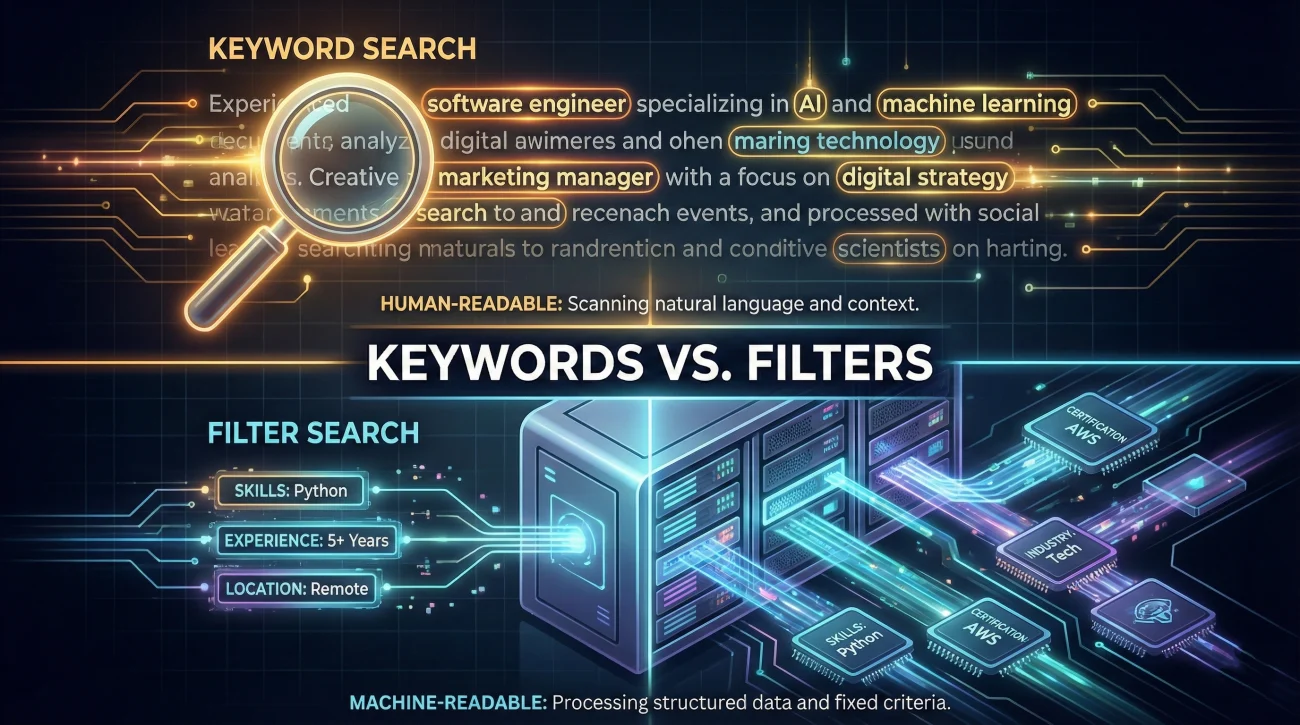
LinkedIn uses a hybrid search engine that combines two distinct methods:
1. Boolean / Keyword Search (The Headline’s Domain)
Recruiters often type complex strings like ("Project Manager" OR "Program Manager") AND ("SaaS" OR "Software") into the main search bar. In this scenario, the algorithm scans your Headline first. Because the Headline is considered “High-Value Text,” a keyword match here ranks significantly higher than a match in your About section or Experience description. If your Headline matches the search string, you appear at the top.
2. Structured Filter Search (The Skills Section’s Domain)
However, many recruiters don’t type keywords. They use the sidebar “Skills Filter.” They simply select “Python” from a dropdown menu. When they do this, the algorithm ignores your Headline text and looks exclusively at your Skills Section. If you wrote “Python Expert” in your headline but forgot to add the standardized tag “Python (Programming Language)” to your Skills section, you effectively do not exist in this search view.
| Feature | Headline (The “Hook”) | Skills Section (The “Filter”) |
|---|---|---|
| Primary Audience | Humans (Recruiters, Hiring Managers) | Algorithms (LinkedIn Recruiter Filters) |
| Data Type | Unstructured Text (Natural Language) | Structured Taxonomy (Standardized Tags) |
| Search Weight | Extremely High for Keywords | Critical for “Hard Filters” |
| Capacity | 220 Characters | 50 Skill Slots |
| Endorsable? | No | Yes (Social Proof) |
The Strategic Takeaway: You cannot rely on one engine to do the work of two. A great headline gets you read, but a robust skills section gets you found. If you are optimized for one but not the other, you are losing 50% of your potential traffic.
The “Echo Strategy”: A Framework for Perfect Alignment
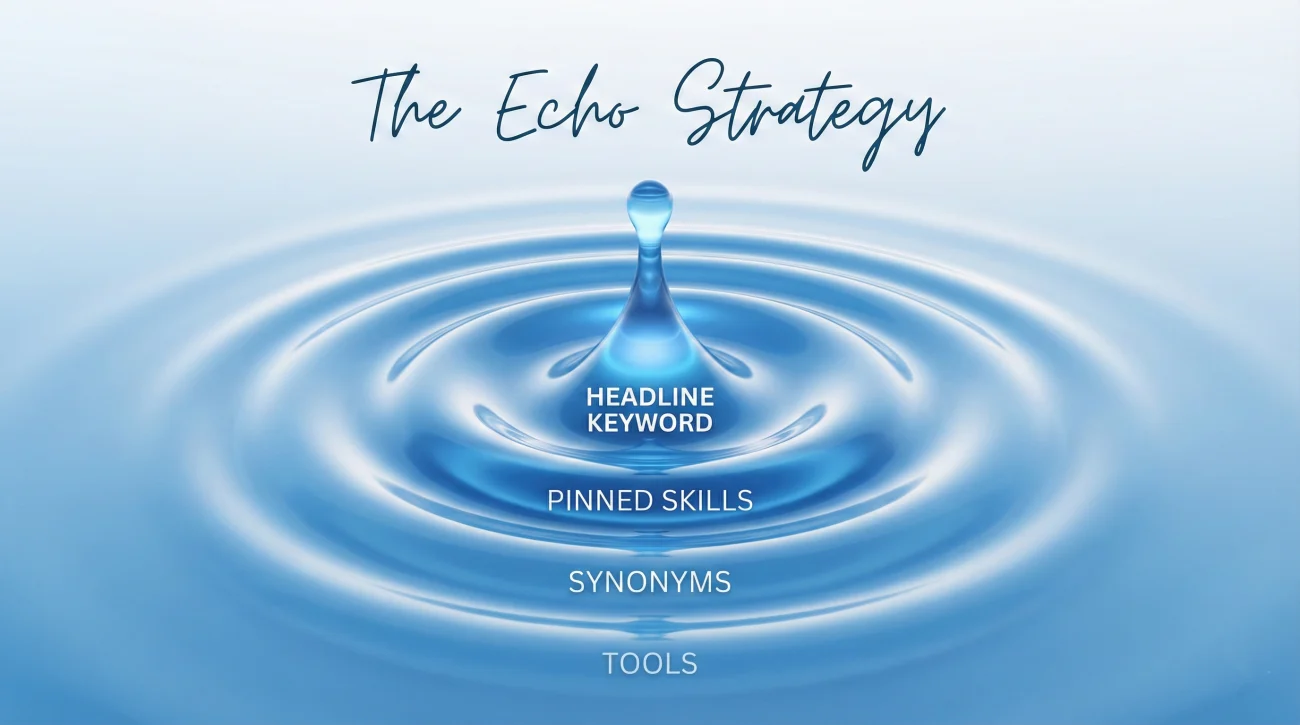
So, should my skills match my headline? The short answer is: Yes, but that is just the starting point. Your Skills section should be a massive superset of your headline. Think of it as an “Echo” – the headline shouts the main message, and the Skills section reverberates it with greater detail, nuance, and variation.
We recommend a Three-Layer Architecture for your Skills section to ensure complete coverage:
Layer 1: The Direct Echo (The “Must-Haves”)
Rule: Every single hard skill mentioned in your headline MUST appear in your Skills section. This is non-negotiable. It serves as a verification check for the recruiter.
If you claim to be an “SEO Expert” in your headline, but “Search Engine Optimization (SEO)” is missing from your list, you create a “Trust Gap.” The recruiter wonders: “If they are an expert, why isn’t it listed?” Furthermore, you miss the chance to get endorsements for your primary selling point.
- ✅ Headline: “Senior Project Manager | Agile | Scrum Master”
- ✅ Skills Section (Top 3 Pinned): Project Management, Agile Methodologies, Scrum.
Layer 2: The Synonymous Expansion (The “Capture Net”)
Recruiters are humans, and humans use different words for the same thing. Your headline doesn’t have space for synonyms, but your Skills section has 50 slots. Use this space to capture traffic from alternative queries.
For example, a recruiter might search for “Content Strategy” while another searches for “Digital Copywriting.” If your headline is “Content Marketing Manager,” you only catch one group. By using Layer 2, you catch them all.
- ✅ Headline: “Content Marketing Manager”
- ✅ Skills Section Adds: Content Strategy, Digital Copywriting, Blog Management, Brand Storytelling, Editing, Social Media Marketing.
Layer 3: The Foundational Support (The “Credibility Builders”)
These are the tools, methodologies, and frameworks that support your core claims. They might be too boring or detailed for a catchy headline, but they are essential for credibility and often serve as “Tie-Breaker” keywords.
If two candidates have “Data Analyst” in their headline, the one who lists specific tools like “Tableau” and “Power BI” in their skills will often rank higher for specific queries.
- ✅ Headline: “Data Analyst”
- ✅ Skills Section Adds: Microsoft Excel, Tableau, Power BI, SQL, Python, R, Statistics, Data Visualization.
Step-by-Step Workflow: How to Execute the Alignment

Do not just guess or add skills randomly. Follow this systematic, military-grade process to ensure your profile is a cohesive unit.
Step 1: Define Your “Power Three”
Identify the top 3 hard skills that are most critical for your target role. Do not choose what you like doing most; choose what the market pays for. These belong in your Headline. They are your “North Star.”
Example: Sales, Negotiation, CRM.
Step 2: Pin to Win (The Visual Alignment)
Go to your Skills section. Find those exact “Power Three” skills. Pin them to the top. LinkedIn allows you to pin 3 skills that remain visible before a user clicks “Show All.”
This visual alignment signals consistency to any human visitor. If your headline says “Sales Expert” but your top pinned skill is “Microsoft Word” (because your aunt endorsed you for it in 2014), you create cognitive dissonance. You look like an admin assistant, not a sales leader.
Step 3: Flesh Out the Taxonomy (The Audit)
Use the remaining 47 slots in your Skills section to build the “Echo.”
- Audit: Delete irrelevant skills (e.g., “Catering” if you are now a Coder).
- Expand: Add variations (e.g., “Java” AND “Java Enterprise Edition”).
- verify: Ensure no “Ghost Skills” exist – skills you listed but cannot actually do in an interview.
Step 4: The Validation Loop
Look at your profile as a stranger would. Read the headline, then scroll immediately to the Skills section. Is the story consistent? Does the deep list of skills prove the high-level claim made in the headline? If there is friction, edit until smooth.
Deep-Dive Case Studies: Coordination in Action
Let’s examine how high-performing profiles execute this strategy across different industries, highlighting the difference between a “Good” profile and a “Great” one.
1️⃣ Case Study 1: The Full-Stack Developer
Case Study 1: The Full-Stack Developer
💢 The Challenge: Developers often list too many languages in the headline, making it unreadable, or none at all (“Code Ninja”).
✅ The Optimized Headline: “Senior Software Engineer | React, Node.js, AWS | FinTech Specialist”
The Skills Ecosystem:
- Pinned (The Hook): React.js, Node.js, Amazon Web Services (AWS).
- The Echo (Variations): JavaScript, TypeScript, Backend Development, Frontend Development, Cloud Computing, Serverless Architecture.
- Foundational (The Tools): Git, Docker, CI/CD, SQL, PostgreSQL, Jest, Redux, Microservices.
🔆Result: Matches broad searches for “Software Engineer” AND specific searches for “React Developer”.
2️⃣ Case Study 2: The Digital Marketer
Case Study 2: The Digital Marketer
💢The Challenge: Marketers often use buzzwords like “Guru” without backing them up with hard skills.
✅ The Optimized Headline: “Growth Marketing Manager | B2B SaaS | SEO & PPC Expert”
The Skills Ecosystem:
- Pinned (The Hook): Search Engine Optimization (SEO), Pay-Per-Click (PPC), Growth Strategies.
- The Echo (Variations): SEM, Google Ads, Content Marketing, Lead Generation, B2B Marketing, Demand Generation.
- Foundational (The Tools): Google Analytics, HubSpot, Semrush, A/B Testing, Conversion Rate Optimization (CRO), Marketo.
🔆Result: Positions the candidate as a technical marketer, not just a “creative” one.
3️⃣ Case Study 3: The Financial Analyst
Case Study 3: The Financial Analyst
💢 The Challenge: Finance profiles can be dry. The key is to highlight certifications and specific modeling skills.
✅ The Optimized Headline: “Financial Analyst (CFA Level II) | Financial Modeling & Valuation | FP&A”
The Skills Ecosystem:
- Pinned (The Hook): Financial Modeling, Valuation, Financial Planning.
- The Echo (Variations): Corporate Finance, Forecasting, Budgeting, Variance Analysis, Investment Banking.
- Foundational (The Tools): Excel (Advanced), VBA, SAP, Bloomberg Terminal, GAAP, IFRS.
The “Mismatch” Trap: 5 Errors That Kill Visibility

Even seasoned professionals fall into these coordination traps. Audit your profile now to ensure you aren’t making them.
| ❌ The Mistake | 💡 The Fix |
|---|---|
| The “Orphan” Headline Skill | Listing a skill in the headline (e.g., “Python”) but forgetting to add it to the Skills section. Result: You miss out on search filters. |
| The “Ghost” Skill | Having a pinned skill (e.g., “Public Speaking”) that is irrelevant to your current headline target. Result: Confuses the reader. |
| The “Empty” Headline | Having 50 skills but a generic headline like “Looking for opportunities.” Result: No context provided; low click-through rate. |
| The “Keyword Stuffing” | Listing “Marketing, Digital Marketing, Online Marketing” in the headline. Result: Wastes space. Put one in the headline, the rest in Skills. |
| The “Forgotten” Update | Updating your headline to a new career path but leaving your old skills (from 5 years ago) pinned. Result: Signals inconsistency. |
Special Strategy: The Career Pivoter
What if you are changing careers? This is where coordination becomes tricky but essential. You likely have a Skills section full of your past life, but a headline focused on your future.
The Hybrid Approach:
- Headline: Focus 80% on the future role, 20% on the transferable value. (e.g., “Aspiring Data Analyst | SQL & Python | Former Financial Auditor”).
- Skills Section: You must ruthlessly prune. Unpin your old skills (e.g., “Auditing”) even if they have 100 endorsements. Pin your new skills (e.g., “SQL”) even if they have zero.
Why? Because you want to be found for where you are going, not where you have been. It is better to appear as a “Junior Data Analyst” than an “Expert Auditor” if your goal is to get a data job.
A Note on Endorsements: The Social Proof Layer
Endorsements act as a “trust multiplier” for your Skills section. While you cannot get endorsements for your headline directly, high endorsement counts on the skills mentioned in your headline validate your claims.
Strategic Tip: If your headline highlights “Project Management,” but you have 0 endorsements for it and 99+ endorsements for “Microsoft Word,” you have a branding problem. Actively ask colleagues to endorse your “Power Three” skills to bring the social proof in line with your positioning.
❓ FAQ
🔗 If I put a skill in my headline, do I really need it in the Skills section too?
📊 I have too many skills for the 50-skill limit. How do I prioritize?
🔄 How often should I update these sections?
🎯 Can I list skills in my headline that I don’t have in my Skills section?
⭐ Do endorsements really matter for search ranking?
Final Thoughts: Synergy Wins the Game
Optimizing your LinkedIn headline vs skills section is not an “either/or” proposition. It is a “both/and” strategy. The most successful profiles on LinkedIn are those that treat these sections as complementary parts of a cohesive personal brand.
Your headline is the billboard that grabs attention in a crowded marketplace. Your Skills section is the detailed catalog that validates your expertise and satisfies the ruthless logic of the search bots. By aligning them through the “Echo Strategy” – ensuring your core message reverberates from the top of your profile down to the bottom – you create a compelling, consistent, and highly discoverable professional identity.
Take 15 minutes today to audit your profile. Ensure your “Power Three” are in your headline, pinned in your Skills, and backed by a robust taxonomy of supporting terms. This small investment of time can yield exponential returns in visibility and career opportunities.
Don’t stop at just one headline fix. The blog is packed with more scripts, templates, and ideas you can copy.