- Problem: Mobile LinkedIn views crop headlines hard, so a perfect 220-character desktop headline can look like a broken sentence in search.
- Recruiter Reality: Mobile scanning is fast, so if your job title and top skill are hidden after the ellipsis, you often lose the click.
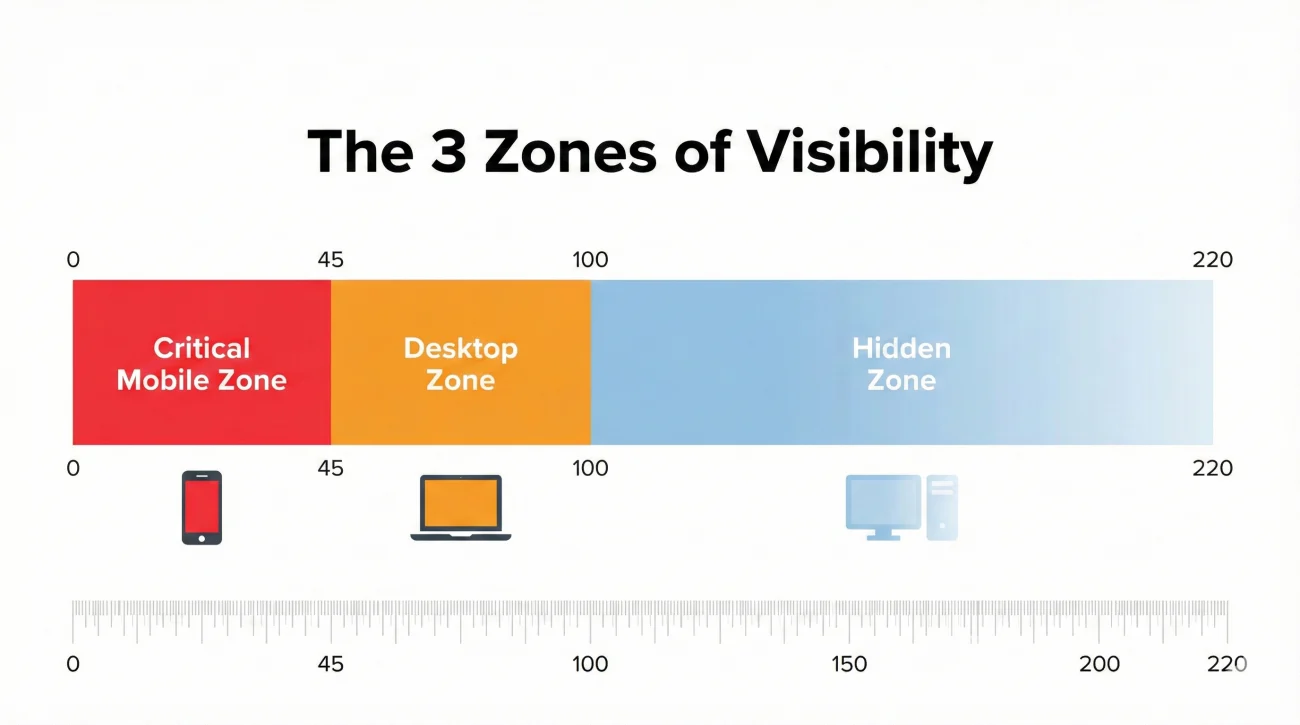
- Visibility Zones: Your cutoff changes by context, but mobile search is the tightest and most important, treat the first ~45 characters as prime space.
- Audit: Test on a real phone by searching your title + location, screenshot your result, then count characters before the ellipsis to find your safe zone.
- Framework: Front-load Title + Primary hard skill, keep separators tight, avoid common traps, then run a quick checklist before saving.
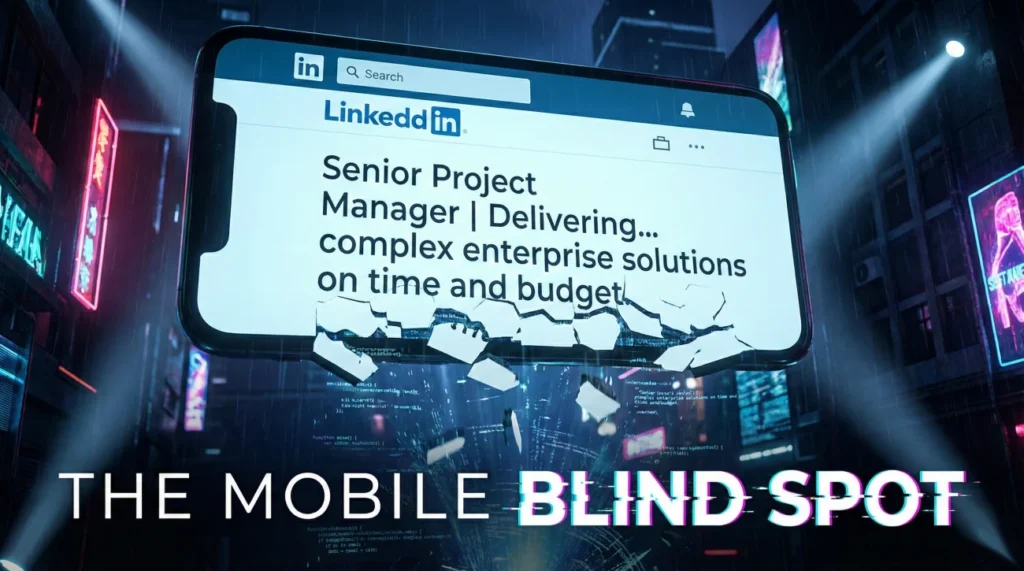
The “Mobile Blind Spot”: Is Your LinkedIn Headline Invisible to 57% of Recruiters?
There is a silent killer of LinkedIn opportunities that almost no one talks about: device truncation. While you spend hours crafting the perfect 220-character elevator pitch on your 27-inch desktop monitor, ensuring every comma and keyword is perfectly placed, you are likely designing for a minority audience. Statistics show that over 57% of LinkedIn traffic now originates from mobile devices, and for busy recruiters commuting or moving between meetings, that number is often higher.
The problem with LinkedIn headline mobile optimization is deceptive in its simplicity. On a desktop, you see the full panoramic view of your professional identity. On a mobile device, specifically in the search results where first impressions are made, that view is ruthlessly cropped. A headline that reads “Senior Project Manager | Agile Certified | Delivering $10M+ Projects On Time” on a laptop might appear as “Senior Project Manager | Agile Certified | Del…” on an iPhone.
This truncation changes the narrative entirely. Instead of seeing a results-driven leader, the recruiter sees an incomplete thought. Even worse, if you bury your job title behind a “creative” hook, you might appear as “Helping companies scale through…” with no indication of what you actually do. In this comprehensive guide, we will dissect the mechanics of mobile display, reveal the hidden character limits across different interfaces, and provide a strategic framework to ensure your profile converts regardless of screen size.
The Psychology of the Mobile Recruiter
To understand why is my headline cut off on mobile, we first need to understand the environment in which it is viewed. Mobile recruitment is a high-speed, low-attention activity. Recruiters often “doom scroll” through candidate lists while waiting for coffee or sitting in transit. In this context, cognitive load is high, and patience is zero.
When a recruiter scans a list of 50 candidates on a 6-inch screen, they are looking for immediate “relevance signals.” These signals – usually a specific job title or a hard skill – must be visible instantly. If your defining keywords are hidden behind the dreaded ellipsis (…), the recruiter’s brain does not pause to click “See More.” It simply moves to the next candidate whose value proposition is clear and immediate.
Strategic Insight: “You are not just fighting for attention; you are fighting for screen real estate. Every character past the 40-character mark on mobile is a gamble. If your primary keyword is at character 50, you have likely lost the mobile audience entirely.”
The Mechanics of Truncation: A Technical Breakdown
LinkedIn’s responsive design is complex. It does not just shrink text; it re-prioritizes elements. On the mobile app, the user interface (UI) introduces larger buttons for “Connect” and “Message,” forcing the headline text into a narrower container. This is why how to check headline on mobile is not as simple as resizing your browser window.
Context is King: The Three Zones of Visibility
Your headline does not have a single “mobile length.” It varies wildly depending on where the user encounters you.
| Context / View Mode | Visible Character Limit (Approx.) | Strategic Importance |
|---|---|---|
| Mobile Search Results | 40 – 50 Characters | ⭐⭐⭐⭐⭐ (Critical: This is the first impression) |
| “People You May Know” | 45 – 55 Characters | ⭐⭐⭐⭐ (High: Drives organic connections) |
| Post Comments | 40 – 50 Characters | ⭐⭐⭐ (Medium: Drives profile visits from engagement) |
| Mobile Profile (Top Card) | 80 – 100 Characters | ⭐⭐⭐⭐ (High: Viewed after the click) |
| Desktop Search | 100 – 120 Characters | ⭐⭐⭐ (Medium) |
As the data shows, the most critical zone – search results – is also the most restrictive. If you are optimizing for the 220-character limit allowed on your profile page, you are effectively ignoring the 45-character window that actually gets you clicks.
How to Audit Your Mobile Visibility
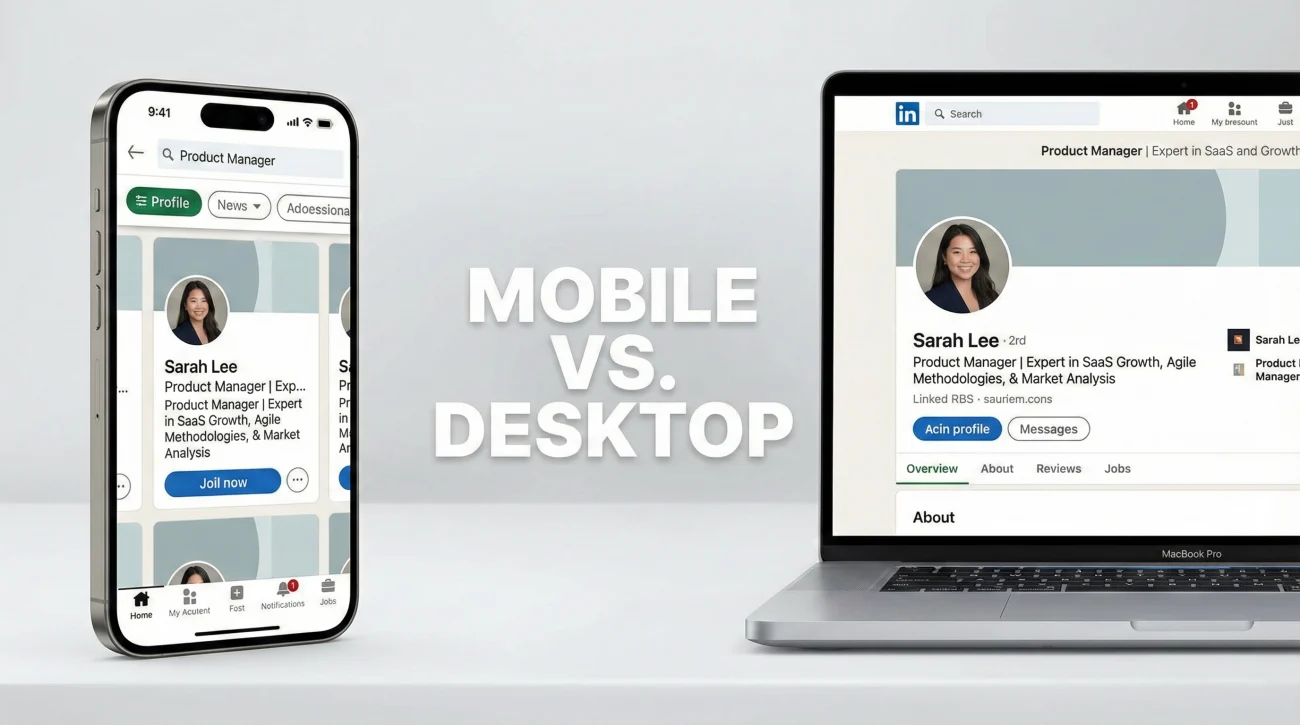
Do not rely on guesswork. Use these methods to determine exactly how your headline appears to the world.
Method 1: The “Real World” Test (Recommended)
The only way to be 100% sure is to use the native hardware.
- 1. Open the LinkedIn App on your phone (ensure it is updated).
- 2. Go to the search bar and type your current Job Title + Location (e.g., “Product Manager New York”).
- 3. Scroll until you find your profile (or filter by “People” -> “First Connections” if you are testing your own ranking).
- 4. Screenshot the result. Count the characters before the ellipsis. This is your “Safe Zone.”
Method 2: Developer Tools Simulation
If you are at a desk, you can simulate a mobile environment, though it is slightly less accurate than the native app.
- 1. Open your LinkedIn profile in Google Chrome.
- 2. Right-click anywhere and select Inspect.
- 3. Look for the “Device Toolbar” icon (looks like a phone/tablet) or press
Ctrl+Shift+M. - 4. Select a device like “iPhone 12 Pro” from the dropdown.
- 5. Refresh the page to load the mobile layout.
Pros & Cons of Testing Methods
| Pros | Cons |
|---|---|
| ✅ Real Device: 100% accurate representation of what recruiters see. | ❌ Real Device: Hard to test multiple screen sizes (e.g., you only own an iPhone). |
| ✅ DevTools: Quick, free, and allows testing various screen resolutions. | ❌ DevTools: Does not perfectly mimic the Native App’s UI quirks or font rendering. |
| ✅ Peer Review: Asking a colleague gives you an objective “second pair of eyes.” | ❌ Peer Review: Slower feedback loop; relies on others’ time. |
The “Front-Loading” Strategy: A Framework for Mobile-Friendly Headlines
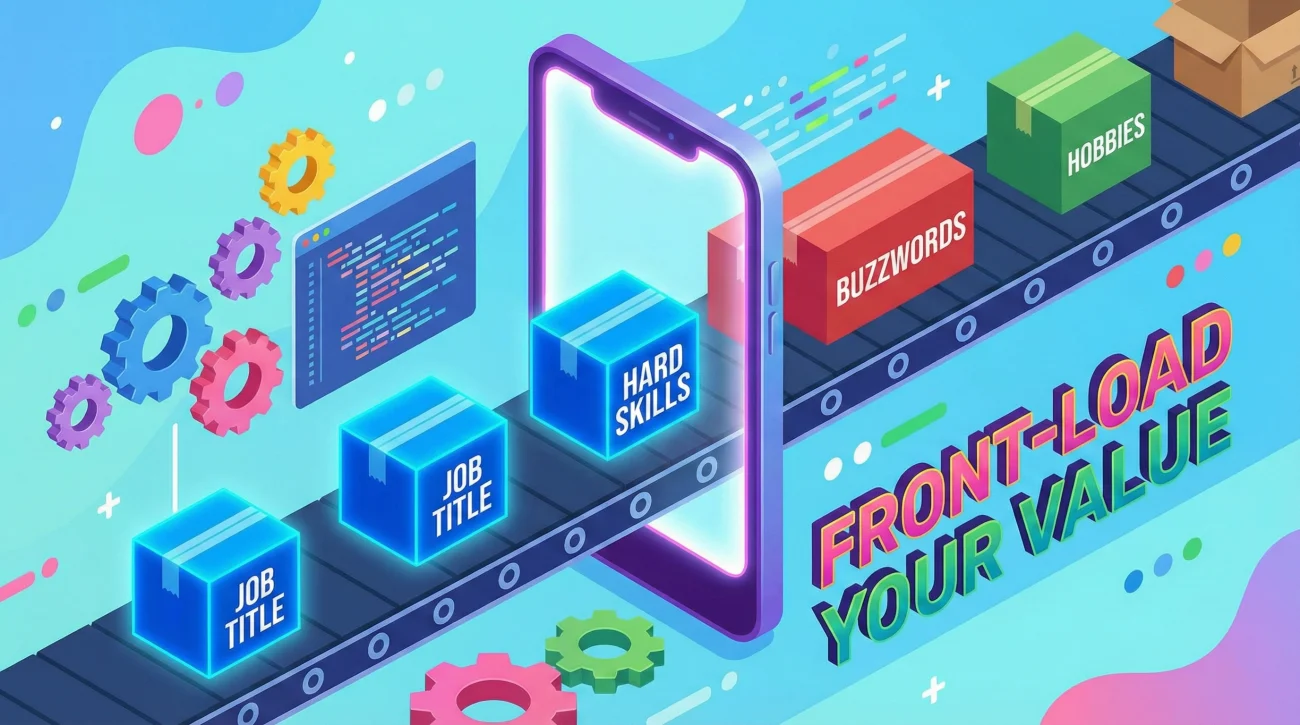
Creating a mobile friendly LinkedIn headline does not mean you have to delete your achievements. It simply means you must adopt a tiered information architecture. You must treat the first 45 characters as “Prime Real Estate” and the remaining characters as “Supporting Context.”
Tier 1: The Hook (Characters 1–45)
This section must contain your Job Title and your Primary Hard Skill. It is the only thing guaranteed to be seen in search results.
Bad: “Passionate and results-oriented professional helping…” (No one knows what you do).
Good: “Senior Data Scientist | Python & Machine Learning…” (Instantly clear).
Tier 2: The Context (Characters 46–100)
This section is visible when someone clicks onto your profile but hasn’t expanded the header section yet. Use this for industry specialization or secondary skills.
Content: Industry (e.g., “FinTech”), specific methodologies (e.g., “Agile”), or years of experience.
Tier 3: The Authority (Characters 101–220)
This is for the desktop user or the highly interested mobile user who clicks “See more.” This is where you put the “nice-to-haves.”
Content: Awards, specific soft skills, personal branding statements, or company names if they aren’t famous.
The Micro-Optimization: Separators
Believe it or not, your choice of punctuation matters. A wide separator wastes pixel space.
- Inefficient: “Software Engineer – Python – AWS” (The em-dash takes up too much visual width).
- Efficient: “Software Engineer | Python | AWS” (The pipe character is slim and vertical).
- Most Efficient: “Software Engineer, Python, AWS” (Commas are the tightest, though less distinct).
Mobile-Optimized Headline Examples by Role
Let’s look at how to apply this framework across different industries. Notice how the critical keywords always land before the theoretical 45-character cutoff.
1️⃣ Software Engineering & Data
1. Software Engineering & Data
💢 The Challenge: Listing too many stacks (languages) early on.
🖥️ Desktop Version: “Full Stack Developer specializing in React, Node.js, and AWS with a background in FinTech”
📱 Mobile Optimized: “Full Stack Developer | React, Node, AWS | FinTech”
💡 Why it works: The recruiter sees the title and the core stack immediately in the search view.
2️⃣ Sales & Marketing
2. Sales & Marketing
💢 The Challenge: Using fluffy buzzwords like “Guru” or “Ninja.”
🖥️ Desktop Version: “Marketing Guru driving growth for SaaS companies through SEO and Content”
📱 Mobile Optimized: “Growth Marketing Manager | B2B SaaS | SEO & Content”
💡 Why it works: It replaces “Guru” with a searchable title (“Manager”) and front-loads the industry (“B2B SaaS”).
3️⃣ Project Management
3. Project Management
💢 The Challenge: Burying certifications.
📱 🖥️ Desktop Version: “Experienced leader managing complex IT transformations”
Mobile Optimized: “Senior Project Manager (PMP) | IT Transformation”
💡 Why it works: The PMP certification is a major filter; moving it into the first tier ensures visibility.
For more inspiration, you can browse our curated list of LinkedIn headline examples by industry.
5 Deadly Sins of Mobile Headlines
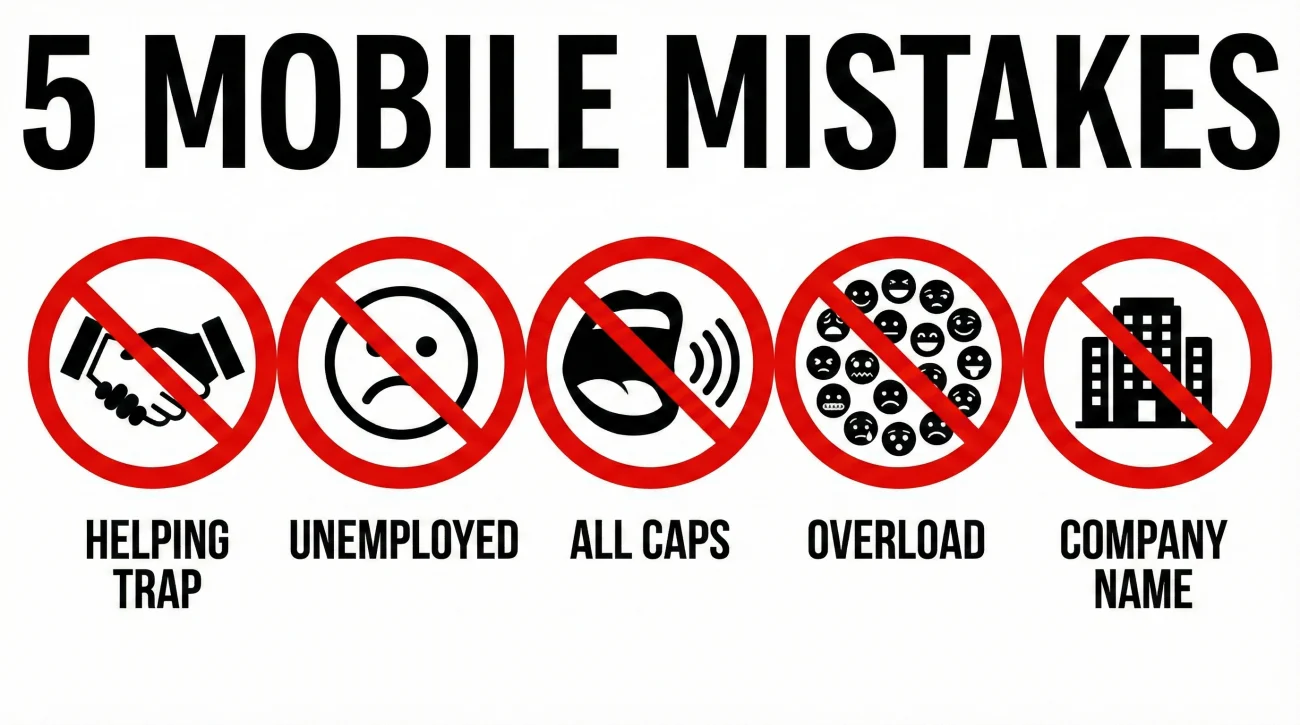
Even smart professionals fall into these traps. Avoid them to keep your profile accessible.
1. The “Helping” Trap
Starting with “Helping companies scale…” is noble, but on mobile, that is often all the recruiter sees. They don’t know if you are a Consultant, a CEO, or an Intern. Fix: Put the title first: “SaaS Sales Director | Helping companies scale…”
2. The “Unemployed” Signal
Using “Actively looking for opportunities” as the very first phrase. This pushes your actual skills off the screen. Fix: “Java Developer | Actively Looking | Spring Boot…”
3. The ALL CAPS YELLING
Capital letters take up more horizontal pixel space than lowercase ones. “SALES MANAGER” is significantly wider than “Sales Manager,” effectively reducing your character limit by 10-15%. Fix: Use standard Title Case.
4. The Emoji Overload 🚀🦁🔥
Emojis are fun, but they are wide characters. Two or three emojis can take up the space of a critical keyword like “SQL.” Fix: Use them sparingly, and never at the very start of the headline unless they are critical to your brand.
5. The Company Name Redundancy
“Marketing Manager at Google.” Your current company is already displayed in the “Experience” slot on the search card. You don’t need to waste headline space on it unless the company brand is your biggest selling point. Fix: Focus on what you do, not just where you do it.
The Ultimate Mobile Optimization Checklist
Before you hit “Save” on your profile, run your new headline through this gauntlet.
- ✅ The 45-Char Test: Does my Job Title and Top Skill appear in the first 45 characters?
- ✅ The Keyword Audit: Have I removed “fluff” words (passionate, driven, motivated) from the start?
- ✅ The Separator Check: Am I using vertical pipes (|) or bullets (•) instead of wide dashes?
- ✅ The Visual Scan: Have I checked the headline on an actual smartphone?
- ✅ The Abbreviation Strategy: Did I use “Snr” instead of “Senior” or “Mgmt” instead of “Management” if I was running out of space? (Use cautiously).
For a deeper dive into crafting the perfect text, refer to our pillar guide on LinkedIn headline strategy.
❓ FAQ
📱 Does the character limit change between iPhone and Android?
🔍 Will shortening my headline for mobile hurt my SEO?
✂️ Should I remove my company name to save space?
🎨 Are emojis bad for mobile headlines?
📉 Does this apply to the LinkedIn Desktop App?
Final Thoughts: Designing for the Small Screen
In the digital age, attention is the scarcest currency. By ignoring LinkedIn headline mobile optimization, you are essentially gambling that a recruiter will be intrigued enough by the first 40 characters of your headline to click “See More.” In a competitive market, that is a risky bet.
The transition to mobile-first recruiting is not a trend; it is the new standard. Your headline needs to be punchy, front-loaded, and ruthless in its efficiency. It must communicate your value proposition in the blink of an eye, on a screen the size of an index card.
Take five minutes today to audit your profile using the methods outlined above. That simple act of reordering your keywords – moving “Python” before “Passionate” – could be the difference between a scrolled-past profile and an interview request.
If you’re serious about your job search, make sure you read a few more articles from the blog before you log off.