
- First Keyword: Your Name is the primary search term on LinkedIn, so formatting it wrong makes you harder to find across search, comments, and messages.
- Name Field Rules: Keep it to real name components (first, last, former name, nickname), avoid slogans or “open to work” hacks that look spammy and risky.
- Middle Name Strategy: Use full middle name for differentiation, middle initial for authority, and no middle name for approachability when your name is already distinctive.
- Credentials And Suffixes: Use legal identity markers (Jr., Sr.) and licenses (MD, PhD, CPA, Esq) when role-relevant, avoid alphabet soup like PMP or stacks of certs in the name.
- Transitions And Audit: Bridge name changes with parentheses for continuity, optimize for what people actually search (nickname if that is your real brand), and run a simple check for uniqueness, trust, and role fit.
The “First Keyword”: Why Your Name Format Dictates Professional Destiny
In the grand architecture of a LinkedIn profile, most professionals obsess over their Headline, agonize over their About section, and meticulously curate their Experience. Yet, they often treat the most fundamental element – their Name – as an afterthought. They type what is on their driver’s license and move on. This is a strategic error of the highest order.
Selecting the best name format for LinkedIn profile is not merely an administrative task; it is a critical SEO and branding decision. Your name is the primary search term – the “First Keyword” – that recruiters, former colleagues, and potential clients use to find you. It appears in every single interaction on the platform: search results, connection requests, comments, messages, and algorithmic suggestions. If your name format is misaligned with how the market knows you, you are effectively invisible.
The flexibility of LinkedIn’s name field is a double-edged sword. You can include middle names, initials, maiden names, suffixes, professional credentials (PhD, CPA), and even nicknames. But with choice comes complexity. Should you be “Robert” or “Bob”? Is adding “MBA” to your name a power move or a sign of insecurity? How do you navigate a name change after marriage without losing ten years of professional network equity?
This comprehensive guide moves beyond simple advice. We will explore the intersection of Search Algorithmic Logic and Professional Psychology to help you engineer a name format that maximizes discoverability while commanding immediate respect.
The Technical Anatomy of the Name Field
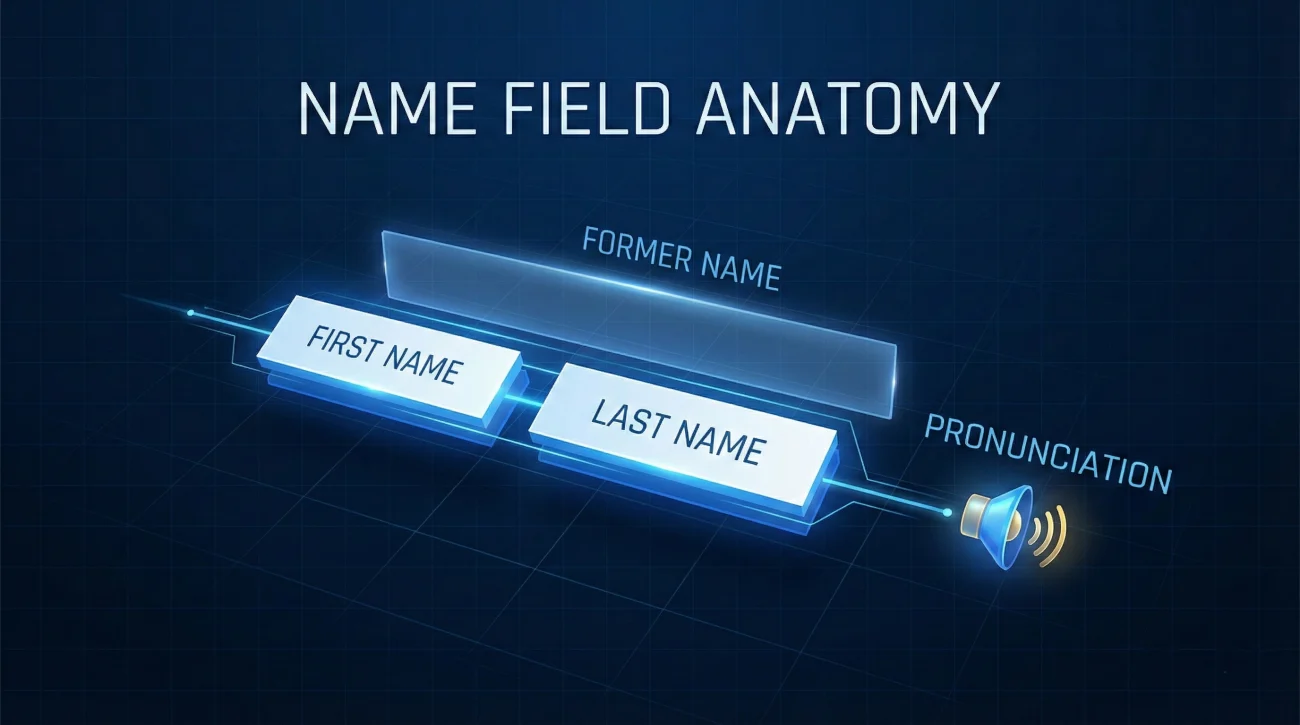
Before we discuss strategy, we must understand the constraints and capabilities of the platform. LinkedIn’s database does not just see “text”; it parses specific fields.
Allowed Components & Limits
LinkedIn provides structured fields, but users often hack them. Knowing the rules prevents your profile from being flagged or penalized by the algorithm.
- First Name (Required): The primary identifier. Limit: 20-60 characters (varies by region).
- Last Name (Required): The family name. Limit: 40-100 characters.
- Former Name (Optional): Displays in parentheses, e.g., (Maiden Name). Critical for search continuity.
- Name Pronunciation (Audio): A hidden gem for inclusivity and networking confidence.
- Additional Name (Optional): Often used for non-Western characters or nicknames.
📌Chief Editor’s Note: “Never use the Name Field for slogans. Writing ‘John Smith – Open to Work’ or ‘Jane Doe | Hiring Now’ in the name field itself is a violation of LinkedIn’s User Agreement. It looks spammy, lowers trust, and can get your account restricted. Keep the name field for your actual name; use the Headline for your pitch.”
The Middle Name Dilemma: Full, Initial, or Invisible?
The decision to include a middle name is rarely about preference; it is about differentiation and industry signaling. The question should i use middle name on LinkedIn has three strategic answers.
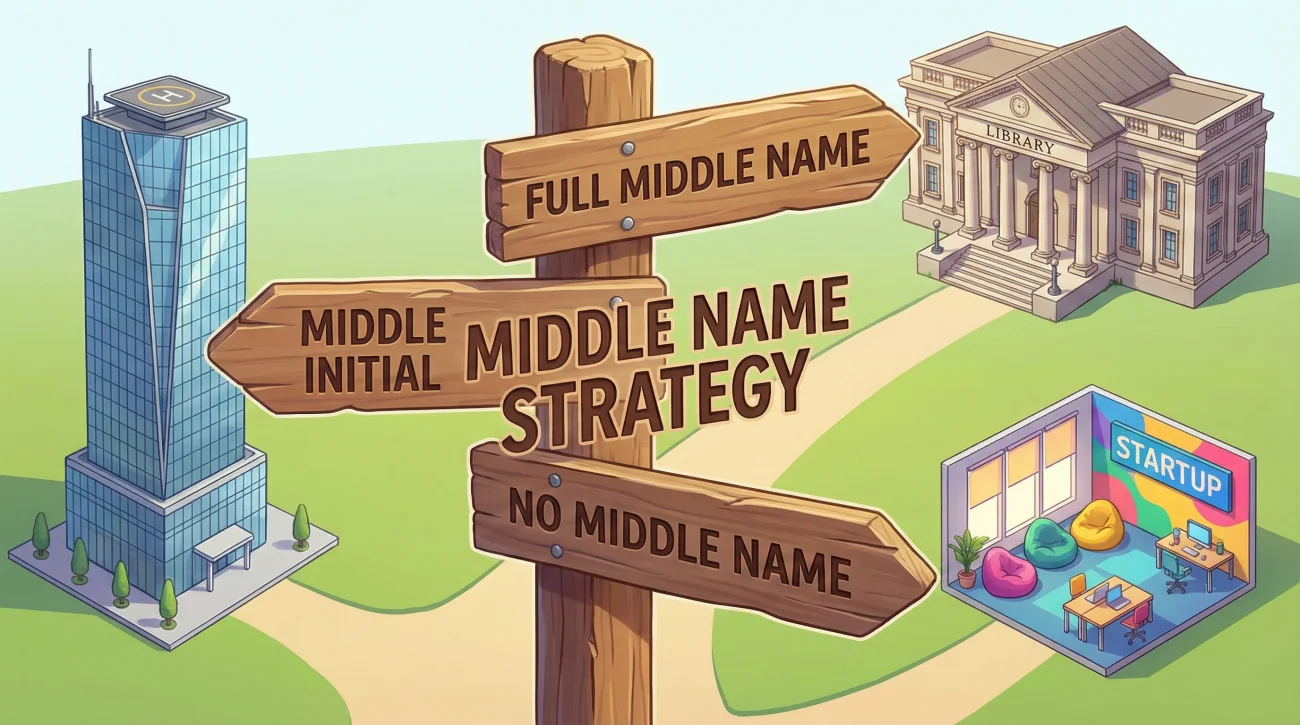
Strategy 1: The “Full Middle Name” (Differentiation)
👉 Use this when: You have a common name.
If your name is “John Smith” or “Maria Garcia,” you are competing with literally thousands of other profiles. In search results, differentiation is survival. “John Alan Smith” is infinitely more searchable than “John Smith.”
Psychological Impact: High formality. Often associated with academia, law, or authors.
Strategy 2: The “Middle Initial” (Authority)
👉 Use this when: You want to project executive gravity or balance a common name with brevity.
Studies in psychology have shown that the use of a middle initial increases perceived intellectual capacity and social status. “David M. Kennedy” reads more like a CEO or a Partner at a firm than just “David Kennedy.”
Industry Norms: Standard in Law, Banking, Corporate Finance, and Government.
Strategy 3: The “No Middle Name” (Accessibility)
👉 Use this when: You work in tech, startups, creative fields, or have a distinctive name.
In Silicon Valley or the ad world, formality can be a barrier. “Elon Musk” or “Sheryl Sandberg” do not use middle initials. The goal here is approachability and modern minimalism. If your name is “Xenon Zylstra,” you do not need a middle name for SEO; you are already unique.
The “Alphabet Soup” Problem: Suffixes and Credentials
One of the most controversial aspects of LinkedIn formatting is adding suffix to LinkedIn name. When does it signal expertise, and when does it look cluttered?
| Credential / Suffix | Verdict | Strategic Reasoning |
|---|---|---|
| Generational (Jr., Sr., III) | ✅ Mandatory | This is part of your legal identity. Excluding it causes confusion with family members (e.g., your father) who may also be in your industry. |
| Doctorates (MD, DO, PhD) | ✅ Highly Recommended | For Medical Doctors, this is a license to practice. For PhDs, use it if you are in academia, research, or a highly technical field. If you are a PhD working in general sales, it might create distance. |
| Licenses (CPA, PE, Esq, RN) | ✅ Recommended | These are legally required for specific roles. A recruiter searching for a “Controller” will specifically filter for “CPA.” Having it in the name provides an instant visual match. |
| Academic Degrees (MBA, MA, BA) | ⚠️ Use with Caution | Include “MBA” only if you are a recent grad from a top-tier school or pivoting industries. For senior executives, putting “MBA” in your name can look junior. Your experience should speak louder than your degree. |
| Certifications (PMP, SHRM, CSM) | ❌ Avoid in Name | These belong in the Headline or Certifications section. Adding “John Doe, PMP, CSM, PSM, ITIL” creates visual clutter and looks like you are trying too hard to prove your worth. |
Nicknames vs. Legal Names: The “Bob” Factor
Should you use your legal name or the name people actually call you? The golden rule of LinkedIn SEO is: Optimize for the Search Term, Not the Birth Certificate.
Scenario: The “Professional Nickname”
If you are legally “Robert” but have been introduced as “Bob” for 20 years, your profile should say “Bob.”
🚫 The Risk: If you use “Robert,” and a former boss searches for “Bob,” they might not find you, or they might scroll past “Robert Smith” thinking it is a different person.
🔆 The Hybrid Solution: If you want to retain the formality of the legal name but acknowledge the nickname, use the quote format.
📑 Format: Robert “Bob” Smith
Scenario: The “Westernized” Name
For professionals with non-Western names working in Western markets, this is a strategic branding choice.
- Option A: Wei (William) Zhang – Preserves heritage while offering an accessible alternative.
- Option B: William Zhang – Full assimilation; easiest for Western colleagues but loses cultural link.
- Option C: Wei Zhang – Authentic; relies on colleagues learning the correct pronunciation (use the Audio Name feature!).
The “Name Audit” Framework: A Step-by-Step Decision Guide
Do not guess. Use this logical framework to determine your optimal professional name format.
Step 1: The “Business Card” Test
Look at your email signature and your business card. What name is on them? Your LinkedIn name must match your day-to-day professional reality to ensure trust and consistency.
Step 2: The “Commonality” Check
Search for your First + Last Name on LinkedIn.
- 0-10 Results: You are unique. Keep it simple (First Last).
- 10-100 Results: Add a middle initial (First M. Last).
- 100+ Results: Add full middle name or specific credential (First Middle Last, CPA).
Step 3: The “Credential” Audit
Does your role legally require a license?
✅ Yes (Doctor, Lawyer, CPA, Architect): Add the suffix.
❌ No (Marketer, Developer, Manager): Remove the suffix. Move credentials to the Headline.
5 Deadly Sins of LinkedIn Name Formatting

Avoid these common errors that degrade your professional image.
| ❌ The Mistake | 💡 The Fix |
|---|---|
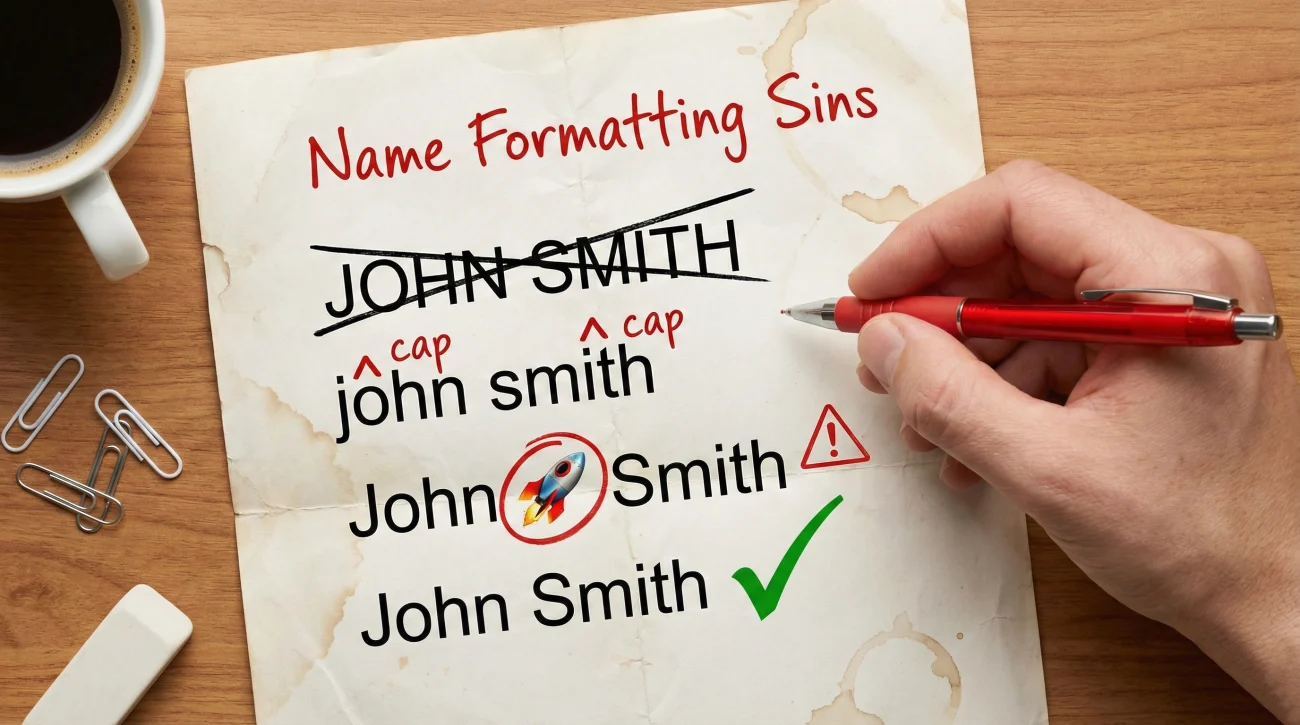
| ALL CAPS | Writing “JOHN SMITH” looks aggressive and technically illiterate. Use Title Case. |
| Lowercase laziness | Writing “john smith” signals a lack of attention to detail. Capitalize proper nouns. |
| Emoji Overload | “John 🚀 Smith” or “Jane 🦁 Doe”. Unless you are a “Guru” or highly creative freelancer, avoid emojis in the name field. They mess with search indexing. |
| The “Company” Suffix | “John Smith at Google”. This is redundant (your current role is already displayed) and violates LinkedIn terms. |
| The “Email” Insert | “John Smith (john@email.com)”. Do not put contact info in the name field. It looks desperate and attracts scrapers. |
❓ FAQ
📝 Can I change my name on LinkedIn multiple times?
🎓 I have an MBA and a PMP. Should I put both in my name?
💍 How long should I keep my maiden name on my profile?
🔤 Does including a middle name help with SEO?
Final Thoughts: Your Name is Your Brand’s Cornerstone
Selecting the best name format for LinkedIn profile requires a delicate balance between personal identity, professional norms, and algorithmic reality. It is the first data point a recruiter sees, and it sets the tone for the entire profile viewing experience.
Do not let your name be an accident of history. Engineer it. Whether you choose the authority of a middle initial, the clarity of a credential suffix, or the approachability of a nickname, ensure your choice is intentional. Your name is the only asset that travels with you throughout your entire career – optimize it so the world can find you.
Ready to take the next step? Once your name is optimized, ensure your headline works just as hard. Explore our comprehensive guide to LinkedIn headlines, or browse proven examples across industries to maximize your discoverability. Want more real LinkedIn headline examples and breakdowns? Check out our blog.